Month: August 2008
有位跑者前輩說…
至少要跑一條特別的長路線, 那麼這個記憶會永遠印在腦海裡….
嗯! 我有同感….他說完, 我細細的回想著我跑過的長距離的路, 真的很多的細節景象都記得, 但是說也奇怪, 現在卻感受不到當時跑的痛苦, 只留有一些美好的回憶.
DELL optiplex 330 桌機安裝 VMware ESXi 3.5 server
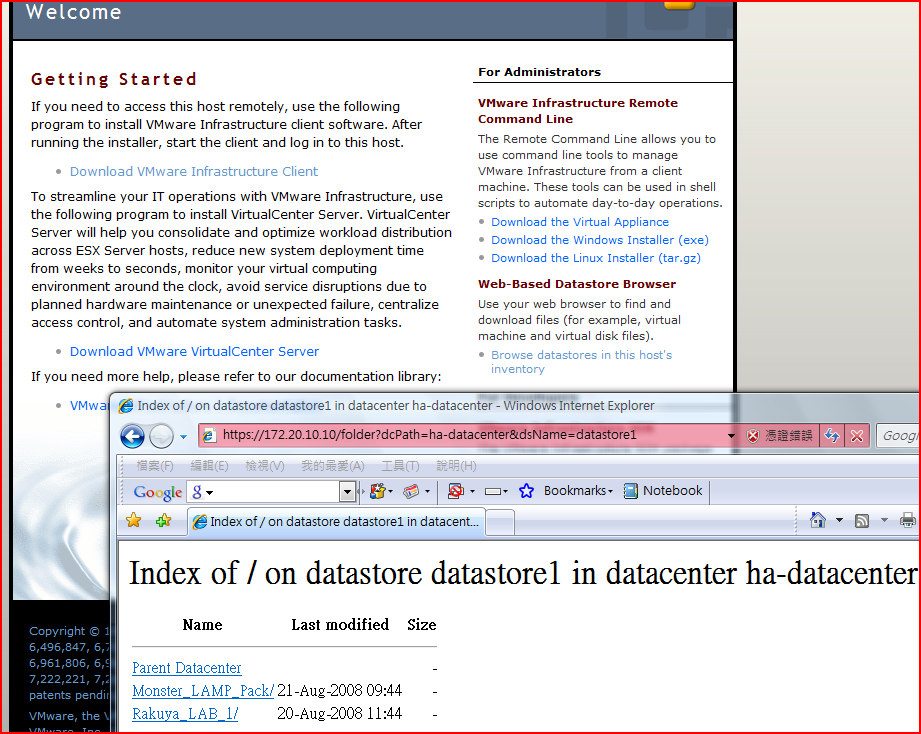
我的桌機是 DELL Optiplex 330 , 網路晶片是 Intel 的, 聽說 intel 的比較沒相容問題
用他的 ISO 來裝, 裝好就用另一台 PC 裝 VMware infraustrue client 連 remote console
我的 Monster LAMP Pack 剛好可以拿來用看看, 於是拿 VMware converter 選 Other 把 VMware WorkStation 的 image 倒進去 , 再 Power on , 就看到 MLP 在 ESXi server 愉快的啟動啦.
聽說 ESCi server 比 workstation 來得有效率, 希望公司可以給我大點的 HD , 讓我可以多跑幾個 vm 來看看.
對了, 鄒 同學說 , 我可以用 VMware 的另一個 tool 來快速的 clone 多個 vm 出來.
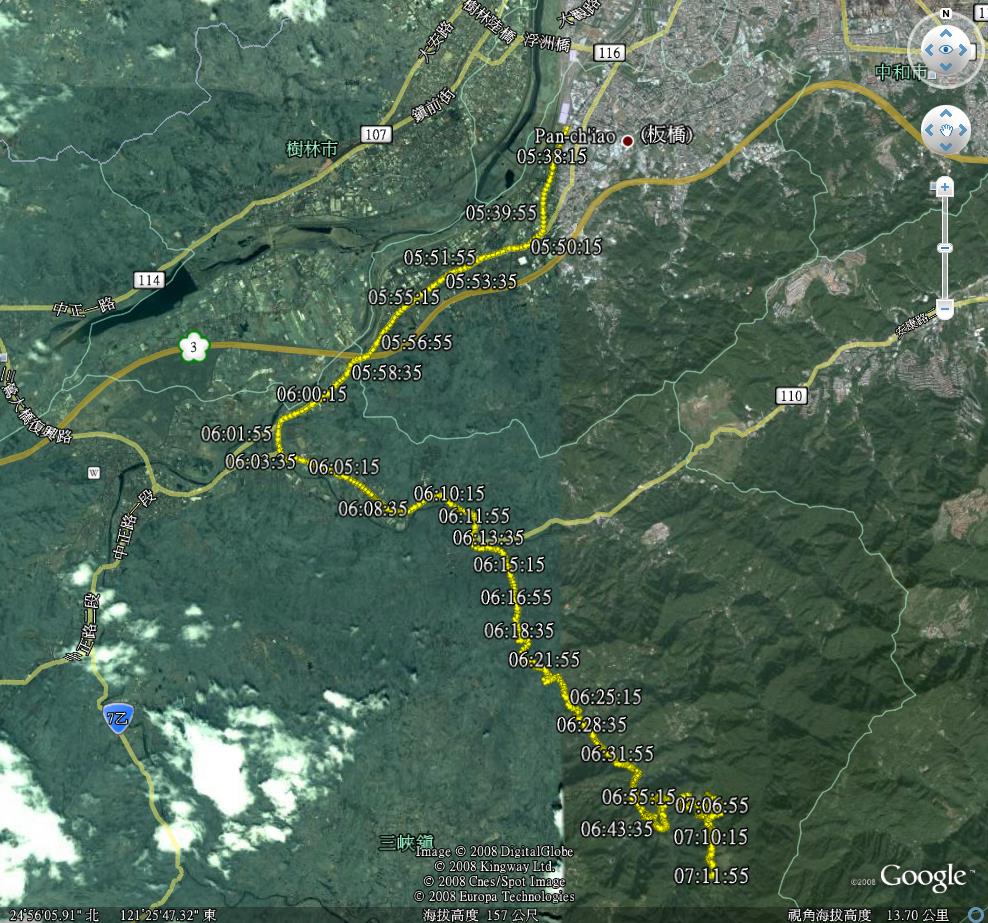
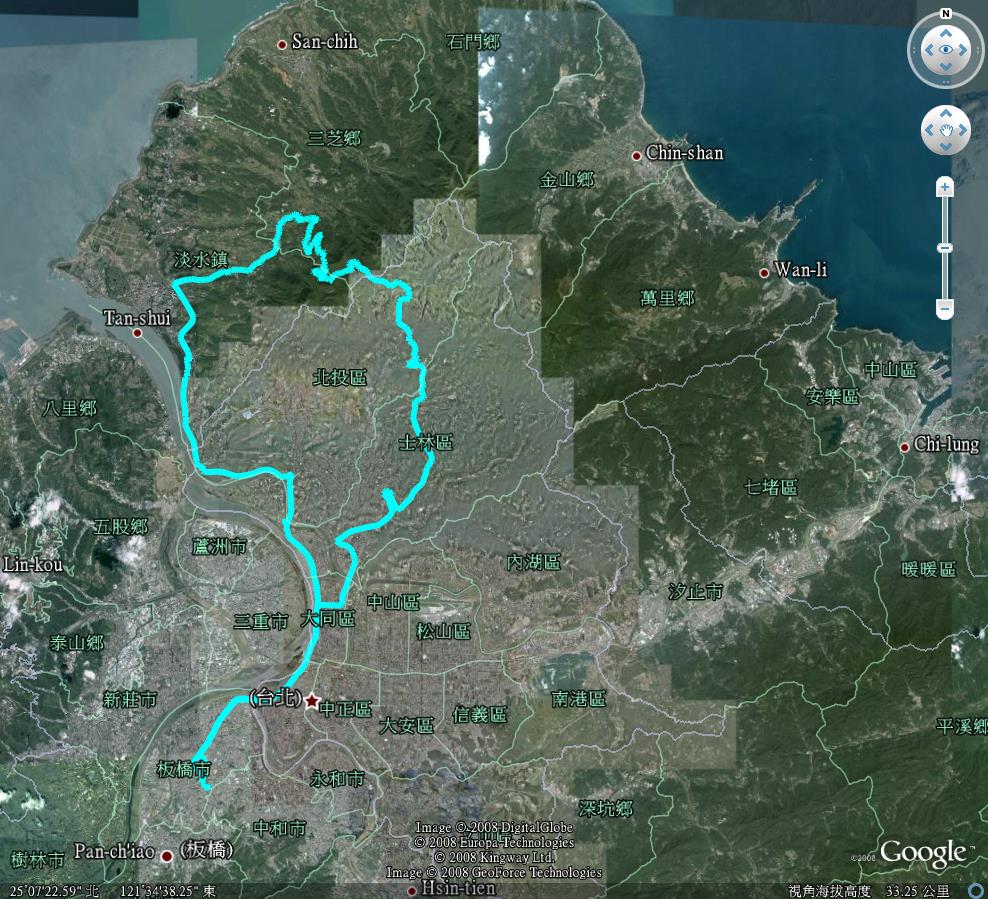
2008.0824 獨騎三峽 109 縣道 竹崙 熊空
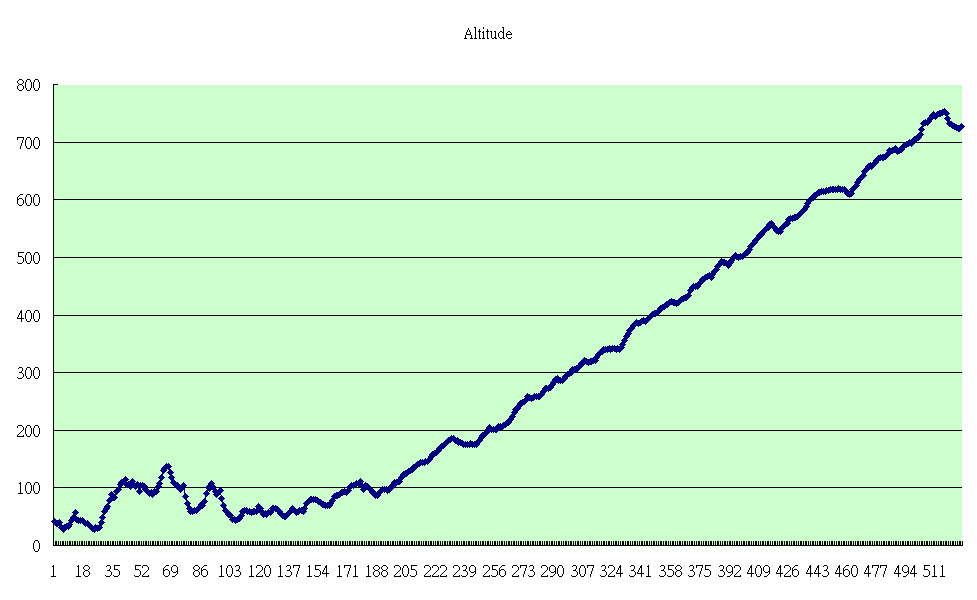
謝謝 Aska 報我這條路, 騎起來真非常舒服呀! 整條 109縣道是路跑人的天下, 騎車的比較晚才陸續出現 , 路兩旁都是杉林, 晨光透過杉林間撒下…monster 大口大口吸著清新的空氣, 一路往最高點前進, 路上都有 “熊空籌備處” 的指標, 很好認, 熊空最高點我看 logger 的記錄是 728M , 路邊的指示牌寫著順著路可以到滿月圓 , 我記得滿月圓阿爸曾帶我去過 , 不過再過去的路況並不適合公路車騎, 熊空山上有觀光茶園步道 , 步道是在杉林中的(適合怕曬太陽的來這走走), 走累了這邊有露天咖啡可以看風景休息, 時間太早了路跑的還沒跑上來, monster 看了看風景喝水準備下山, 今天的獨騎就在山嵐圍繞的熊空山劃下句點.
以下是路徑圖跟高度圖:
monster 跟理查克萊德門長得像嗎?
monster 挑了一張側面的照片來測試, 以下是它分析的結果:
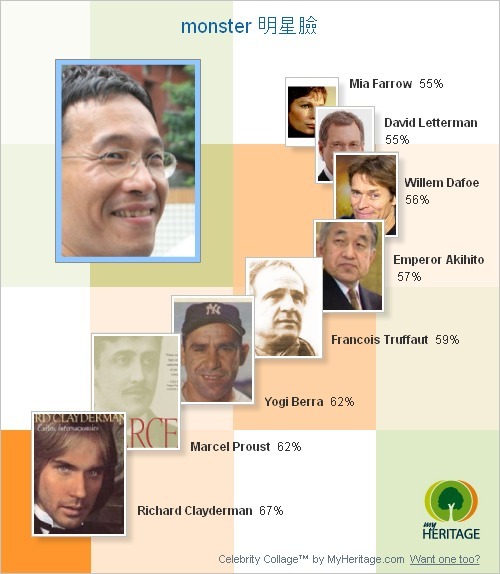
看了看, 覺得 monster 的鼻子跟他還真的有像….
去這個站玩玩吧! 不過可別輸入自己的 blog password 呀!!
http://www.myheritage.cn/FP/Company/tryFaceRecognition.php?collage=1
我寫了一個小工具 kml2csv 上線測試
主要是要為了編輯我騎車時所留下的 Google Earth 路徑而寫的小程式 , 大家用看看
有問題或想法再告訴我…
https://www.monster.com.tw/kml2csv
使用流程:
Logger –> Google KML –> KML2CSV –> Edit with Excel –> ExcelToKML –> Google Earth
一些處理 javascript 減少 server http connection 數的方法
http://joliclic.free.fr/php/javascript-packer/en/
http://yuiblog.com/blog/2008/07/16/combohandler/
This is a fast, low-overhead port of Douglas Crockford’s JSMin JavaScript minifier to PHP. It requires PHP 5 or higher.
JSMin is a filter which removes comments and unnecessary whitespace from JavaScript files.
http://code.google.com/p/jsmin-php/
新光華遊記
monster 今晚去了開幕不久的新光華商場, 打算買個數位棒來錄奧運, 當然出發前不忘先作了功課—> 去 PXHOME 查了想買的東西現在價格, 寫在3M貼紙上了(錯誤一), 於是下班後就接往新光華衝…
一到那, 新大樓果真是漂亮呀…抬頭看..好多層ㄟ (不知這就是等下會遇到的困擾) …一進門…就開始東看看西看看…想說先 “繞” 個一圈, 先看一遍再決定去那家買吧….於是隨著人群一直走一直走…來到了二樓…三樓…四樓…
果然腳酸了…隨便就找了一家亮出下午剛剛作小抄給老闆看說…”我要買這個” (錯誤試範! 鐵定被老闆當愷子…連錯兩項: 1. 小抄不要寫價格2. 要買啥要背起來), 老闆假裝找半天說有啦! 看到我小抄寫 1299 就說賣我 1250 好了….頓時我就知錯了…連忙說等下再來喔, 於是繼續逛, 也當下把它背起來了..
晃呀晃又被我看到一家, 就進去問, 小夥計說 1200….ㄟ…這家比較便宜喔…為了達到 “貨比三家不吃虧” 的原則…當然堅持要看第三家再說…就在隔壁的隔壁的隔壁, 第三家竟然沒貨! 還說這東西缺貨,因為太多人這兩天搶著買要去錄奧運! 哇! 怎麼跟我一樣咧?? 話問完趕緊轉頭找第二家….
ㄟ…剛剛我問的夥計竟然不見了…正當我在想如果現在這個夥計要賣我 1200 以上我要怎麼跟他殺價的同時, 這個夥計竟然說賣我 1100ㄟ!! 我都還沒殺價竟然就直接降價了? 好吧…我累了…就 1100 吧…於是留下錢把東西帶走啦…..高興呀…我今天省了 $200咧!! …為了獎勵自己省了大筆$$,加上只逛到4F 的腳酸, 就在 1F monster 點了一碗愛吃的豆花, 今天的新光華遊記就這樣告一段落囉!!
PS: 賣電玩的店果真有可愛妹, 3F 的電玩店一群宅宅圍著可愛妹問東問西的, 可愛妹也蠻開心的呀!!