Archive for February 2009

中文 字詞 文章 索引 對照規畫

tbl_term

term_id term
1 ipod
2 apple
3 nano
4 iphone

tbl_doc

doc_id text_content uptime
1 【蘋果先生】Moshi iGlaze Apple iPhone 3G 專用保護殼 黑/紅/白
2 iTunes Gift Card蘋果線上音樂商店預付卡儲值Apple iTunes Shop Ipod Nano Shuffle iphone Mp3電影歌曲下載促銷
3 Apple iPhone 3G (8G)  

tbl_lookup

id term_id doc_id
1 2 1
2 4 1
3 2 2
4 1 2
5 3 2
6 4 2
7 2 3
8 4 3

為網站裝上 Microsoft IE8 search provider

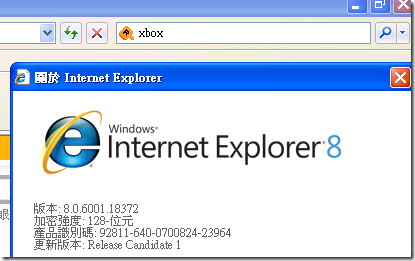
聽說 微軟 的 IE8 即將要推出了 , 公司有一連串的配合計畫 , 我分到一部分工作 , 就是為 IE8 的 user 加上 search  功能.

簡單的說 , IE8 提供一個方便的功能, 讓 user 可以快速的進行查詢 …..

可以點那個加的連結 , 或者看這個示範

95be1836ae483edd768f62d8bde5eb9d

以下是一部分剪圖

aa478377a47203f82127e37bf38f8c1b

參考這頁很快就可以把這功能完成了!

不過有幾點要注意

  • web server 的 xml header 會不會送錯
  • 字元集 UTF8 / BIG5 ?

Protected: 一箱 oracle 的問與答 / tunning / password 公司統編

This post is password protected. To view it please enter your password below:


codeigniter / ci / oracle database.php 的設定方式 / utf8 / big5 粉難搞

$db['oci']['hostname'] = "//IP_ADDRESS/INSTANT_NAME";
$db['oci']['username'] = "USERNAME";
$db['oci']['password'] = "PASSWORD";
$db['oci']['database'] = "INSTANT_NAME";
$db['oci']['dbdriver'] = "oci8";
$db['oci']['dbprefix'] = "";
$db['oci']['pconnect'] = TRUE;
$db['oci']['db_debug'] = TRUE;
$db['oci']['cache_on'] = FALSE;
$db['oci']['cachedir'] = "";
$db['oci']['char_set'] = "utf8"; // database 是 UTF8
$db['oci']['char_set'] = "ZHT16BIG5"; // database 是 big5

$db['oci']['dbcollat'] = "utf8_general_ci";

記得 codeigniter 的 /system/database/drivers/oci8/oci8_driver.php 這個檔要改一下

2009.0303 補充, 若要連 oracle standby database.php 要改成這樣 用 service name ( 看那個 tnsnames.ora )
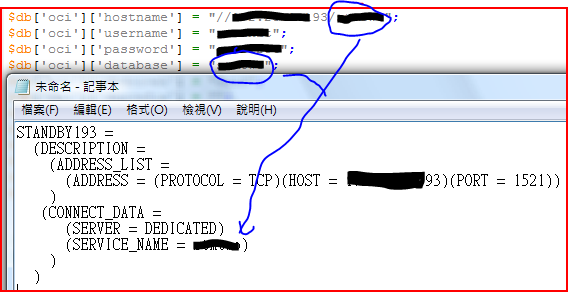
擷取-oracle-standby-ci

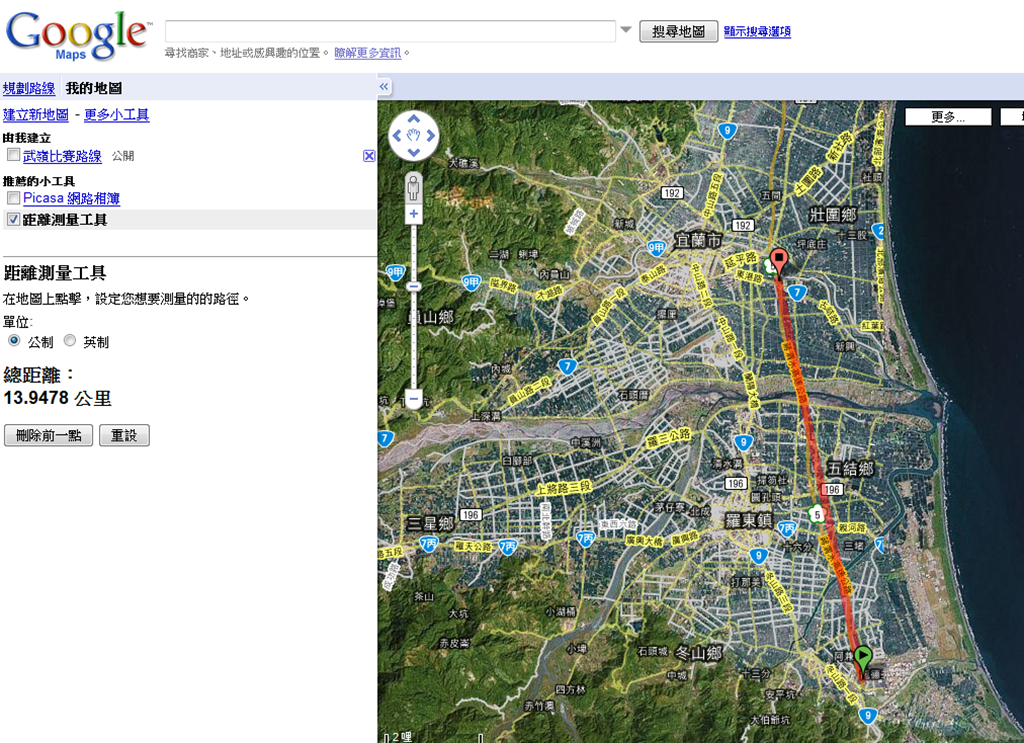
宜蘭國道五號馬拉松

這樣量距離只有不到 30K?

e588e1d2de9a8535471c8984215a05db

[note] javascript 的 foreach / split / php explode style 寫法

var loc="25.258861, 121.509389";
var arr=loc.split(","); 

var content = '';
for (var key in arr) {
  content += key + ' : ' + arr[key] + "\n";
}

另一個

var myarr = new Array('red','green','blue');

var content='';
for(var key in myarr){
	content += key+' : '+myarr[key]+"\n";
}

alert( content );

Protected: 2009.0222 photo

This post is password protected. To view it please enter your password below:


nginx [engine x] is a HTTP server and mail proxy server

nginx has been running for more than four years on many heavily loaded  sites

http://nginx.net/

FreeNAS , Openfiler 免費的 file server

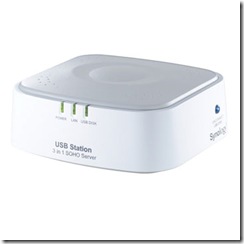
今天知道 Jack大大入手了 Synology USB Station 三合一SOHO伺服器
http://shopping.pchome.com.tw/?mod=item&func=exhibit&IT_NO=DGAK0J-A16377028&SR_NO=DGAK0J&ROWNO=5

AMD00039l

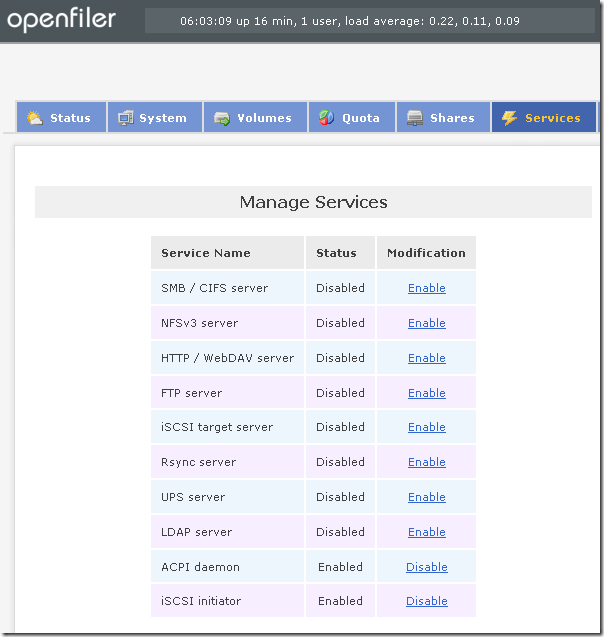
我記得有幾個免費的 file server 可以抓來用, 今天玩的心得: FreeNAS VS. Openfiler

我測試的結果 –> FreeNAS 勝!

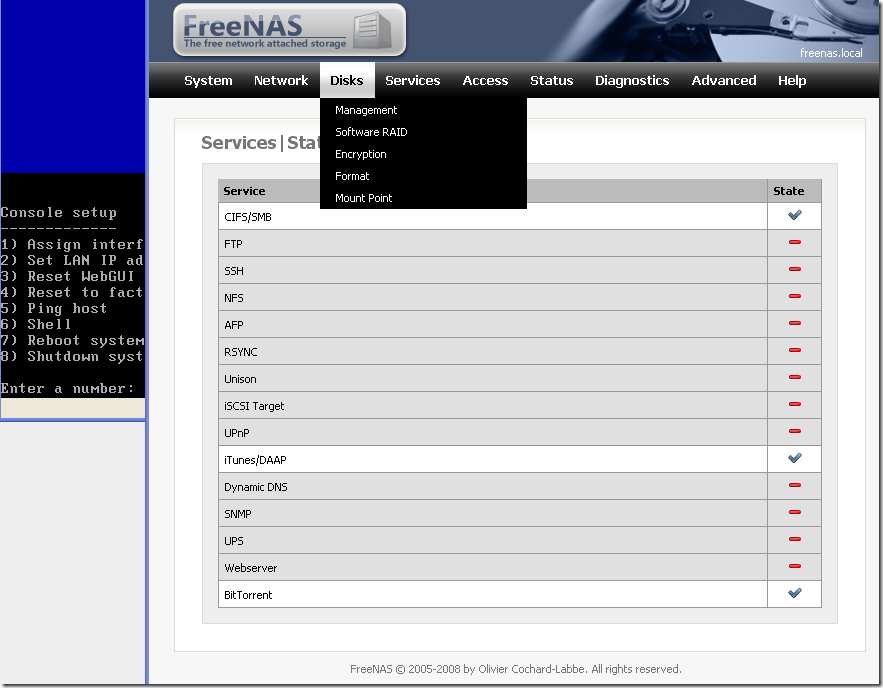
FreeNAS 各類 server 都有了 , 甚至 BT / iTunes server  … 舊電腦可以裝這個來用了 , 他說記憶體有 128MB 就夠了.

FreeNAS
http://www.freenas.org/

ID : admin
PW : freenas

bcc96c9600258cbee2d3a4c47553b879

Openfiler
http://www.openfiler.com/

ID : openfiler
PW : password

abf5d86d9252b760a0983e897d890638

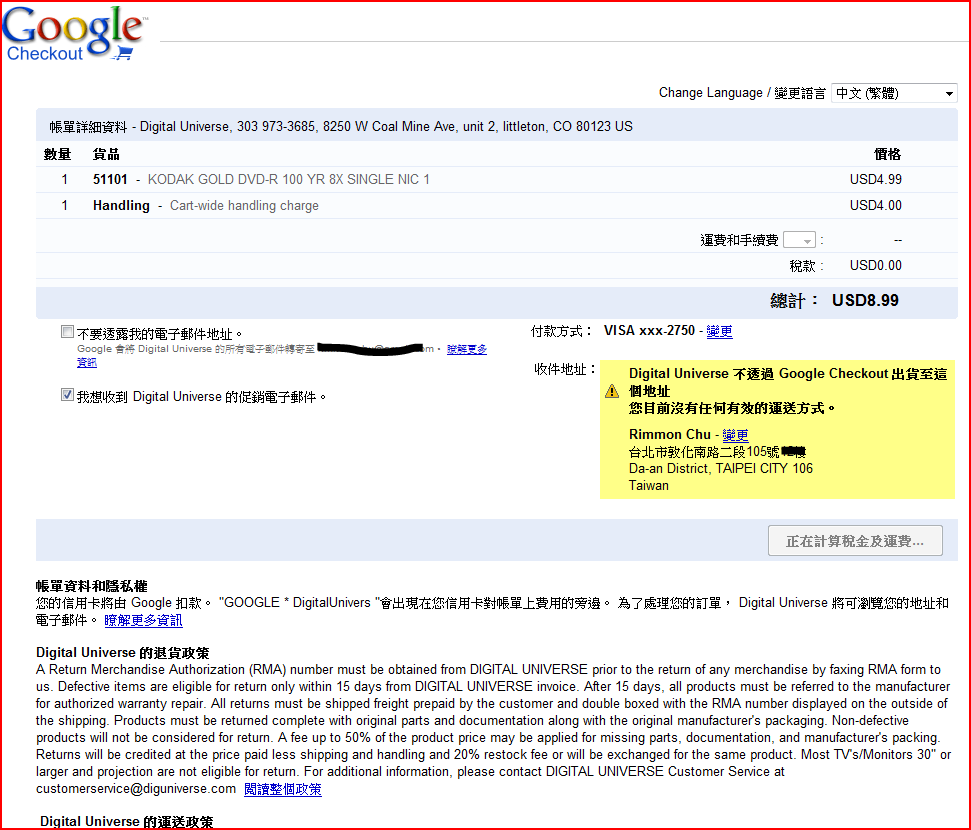
Google checkout screen snap

入手 Timex Men’s Ironman Triathlon 100-Lap FLIX System Watch 功能超強

11090114987204_060

  • 100圈記憶
  • 5組鬧鈴, 鬧鈴可分 weekdays/weekend/daily….
  • 兩個時區
  • INDIGLO® night-light , 可以不用按 button 就把背光打開

= NTD$1813

unix shell programming / sh / csh syntax

Shell script syntax

Bourne shell (sh) syntax samples

test:
[ number -lt|-le|-eq|-ne|-ge|-gt number ]
[ string = != string ]

if [ test ]
then
   commands
elif [ test ]
   commands
else
   commands
fi

for var in item1 item2 item3
do
  commands
done

while test
do
  commands
done

case expression in
  case1)         commands ;;
  case2|case3)   commands ;;
  *)             default-commands ;;
esac

# How to read an input file into shell variables:
while read variable1 variable2
do
  ...
done < $input_file

# How to redirect stdout/stderr
echo something 1>&2
echo something 2>&1

# How to throw out stdout and stderr
some_command > /dev/null 2>&1

# Shell functions:
func () {
	echo $1 $2 $3
}
func a b c

C shell (csh) syntax samples

test:
( expression ==|!=|>>|<< expression )

if ( test ) command

if ( test ) then
   commands
else if ( test ) then
   commands
else
   commands
end if

foreach var ( list list list )
  commands
end

while condition
   commands
end

# How to throw out stdout and stderr
some_command >& /dev/null

另一個

#!/bin/sh
count=0
while [ $count -lt 5 ]
do
  count=`expr $count + 1`
  echo $count
done

Protected: [好文] 這個人實在太強了

This post is password protected. To view it please enter your password below:


sysctl / Linux tunning /etc/sysctl.conf

net.ipv4.ip_local_port_range = 1024 65536
net.core.rmem_max=16777216
net.core.wmem_max=16777216
net.ipv4.tcp_rmem=4096 87380 16777216
net.ipv4.tcp_wmem=4096 65536 16777216
net.ipv4.tcp_fin_timeout = 3
net.ipv4.tcp_tw_recycle = 1
net.core.netdev_max_backlog = 30000
net.ipv4.tcp_no_metrics_save=1
net.core.somaxconn = 262144
net.ipv4.tcp_syncookies = 0
net.ipv4.tcp_max_orphans = 262144
net.ipv4.tcp_max_syn_backlog = 262144
net.ipv4.tcp_synack_retries = 2
net.ipv4.tcp_syn_retries = 2

取代 squid 的 HTTP 加速器 varnish

據說用 3台 varnish 可以抵 12台 squid 來用 , 有時間要來玩一下.

Varnish

http://varnish.projects.linpro.no/


Varnish is a state-of-the-art, high-performance HTTP accelerator. It uses the advanced features in Linux 2.6, FreeBSD 6/7 and Solaris 10 to achieve its high performance.

Some of the features include

  • A modern design
  • VCL – a very flexible configuration language
  • Load balancing with health checking of backends
  • Partial support for ESI
  • URL rewriting
  • Graceful handling of "dead" backends
  • more features

Varnish is free software and is licenced under a modified BSD licence. Please read the introduction to get started with Varnish.

用 HAProxy 作 load balancer – 窮人的 SLB ( server load balance)

這是簡單版的架構, http flow:
cacae1dfce25d17bd8225bdcd8b7b772

其實, 裝起來並沒有想像中複雜, 只是準備一個測試環境比較麻煩些罷了–> vmware 又幫了我不少忙 :P

參考他的 online document:
http://haproxy.1wt.eu/download/1.3/doc/haproxy-en.txt

及架構圖
http://haproxy.1wt.eu/download/1.3/doc/architecture.txt

略翻完這兩個文件就可以來測試了 , 首先準備三台 web server : webA 到 webC , 然後還要一台 server 當 haproxy server 這台不用跑 apache , 安裝 haproxy 很簡單, 在 gentoo 就是 emerge –av haproxy , 設定檔要自己建 (放到 /etc/ )

我的 /etc/haproxy.cnf

listen webfarm 172.30.0.235:80
monitor-uri /haproxy_status
stats uri /stats
stats auth admin:admin
mode http
balance roundrobin
cookie SERVERID insert indirect
option httpchk HEAD /index.php HTTP/1.0
server webA 172.30.0.206:80 cookie A check
server webB 172.30.0.227:80 cookie B check
server webC 172.30.0.228:80 cookie C check

第一次連上後, haproxy 如他的 menual 寫的 , 會丟一個 cookie 給 client , 作為下次要連的實體 server 的依據 , 我把那台 apache 停掉, 果然就連到別去了 , 然後 phpinfo 中值得紀錄的是:

SERVER_NAME 就是 haproxy.cfg 中寫的 listen 的 IP , 然後 , SERVER_ADDR 就是實體連到的 apache 的 IP , haproxy 會不停的丟 HTTP/1.0 的 HEAD 取得 apache 是否還活著.

在 webA-C 的 aapache access log 中若 沒特別改的話, 就是紀錄 haproxy server 的 IP address

….

好了! 實驗完成了!

結論, HAProxy 在他的官網寫說他:

“ 提供一個免費/快速的 HA / LOAD BALANCE 方案 , 可是我覺得他僅能夠說 HA / BALANCE (並沒有很徹底的偵測 server loading) , 並且在 SPF 方面也並沒有很好的解決辦法.

不過呢, 至少 HAProxy 比 DNS roundrobin 還好.

各種 LOAD BALANCE 方案 評估表

SLB

CPU用量

轉送效率

偵測連線

roundrobin DNS

最佳,直接傳給client

NO

ipvsadm

最低

YES

mod_proxy

YES

haproxy

YES


過了一個晚上想了想 , 即使 Citrix / Alteon / Foundry 這些 SLB hardware device 也沒有做到真正的 loading detective , 所以就一個免費又高容量的 HAProxy 來說, 算是很好的 SLB 解決方案了.

ㄎㄎ 有做過 HAProxy 實驗的都會貼這一張:

ec6601bde1fdb02e373efc74ea97e0f1

熟悉 vi / vim 的鍵盤位置

雖然我已經會了 ,  但是看到這個Vi-vim Cheat Sheet 還是蠻好奇的把它收錄下來

完整的請看原網站 , from : http://www.viemu.com/a_vi_vim_graphical_cheat_sheet_tutorial.html

發覺一般人只要會 1/3 , 就算上手了 , 可以拿 vi 衝了 . . .vi-vim-cheat-sheet

N.Furtado Say It Right (Remix)

[youtube]http://www.youtube.com/watch?v=udivD0kzWUI[/youtube] Continue reading ‘N.Furtado Say It Right (Remix)’ »

[c code] 檢查某檔案是否存在 – check file exists using C

FILE* fp = fopen(path, "r");
if (fp) {
    // file exists
    fclose(fp);
} else {
    // file doesn't exist
}

用 mysql-proxy 實踐 讀/寫 分離

起因是不想要動到舊的程式碼 , 若用 mysql-proxy 把讀寫分離出來 , 那舊的程式連接資料庫的 connect 段就不用改了 , 而且 mysql-proxy 官網還寫了不少好處:

    - load balancing
    - failover
    - query analysis
    - query filtering and modification
    and many more.

好早就想要試看看了! 首先要先建制一個 master/slave 的 mysql 架構 – 設定 mysql 成 master / slave 架構

在 gentoo 中 , 用 emerge –av mysql-proxy 把 目前版本 0.61 裝進來 , 然後 /etc/conf.d/mysql-proxy 的設定如下

# /etc/conf.d/mysql-proxy: config file for /etc/init.d/mysql-proxy

# location auf pidfile
PIDFILE="/var/run/mysql-proxy.pid"

# general options for mysql-proxy
OPTS="--proxy-lua-script=/root/tutorial-keepalive.lua
--proxy-backend-addresses=172.30.0.182:3306
--proxy-read-only-backend-addresses=172.30.0.183:3306
"
#OPTS="/root/mysql-proxy.lua"

# if you want mysql-proxy to depend on mysql, enable this:
#RC_NEED="mysql"

這邊的 tutorial-keepalive.lua 可以到 http://svn.mysql.com/svnpublic/mysql-proxy/trunk/examples/tutorial-keepalive.lua下載

參考 http://jan.kneschke.de/2007/8/1/mysql-proxy-learns-r-w-splitting

O’Reilly 有一些 lua 的 sample : http://www.oreillynet.com/pub/a/databases/2007/07/12/getting-started-with-mysql-proxy.html?page=4

MySQL 官網的 FAQ : http://dev.mysql.com/doc/refman/5.0/en/mysql-proxy-faq.html

http://dev.mysql.com/doc/refman/5.0/en/mysql-proxy.html

在 January 30th, 2009 , MySQL Proxy 有新版了  from 0.6.1 to 0.7.0

http://jan.kneschke.de/2009/1/30/mysql-proxy-from-0-6-1-to-0-7-0

另外 Lua 是一種簡單/快速的 script language , mysql proxy snippets

最後看到有個問題 : “SPoF” , Sigle Point of Failure , 我看如果要用 mysql proxy 還是有得搞了 … 暫時打住吧!