
Archive for April 2010
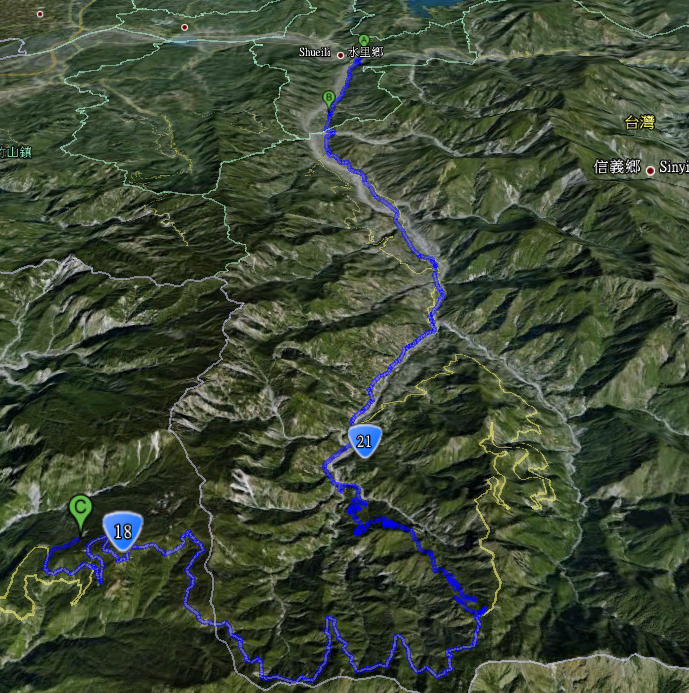
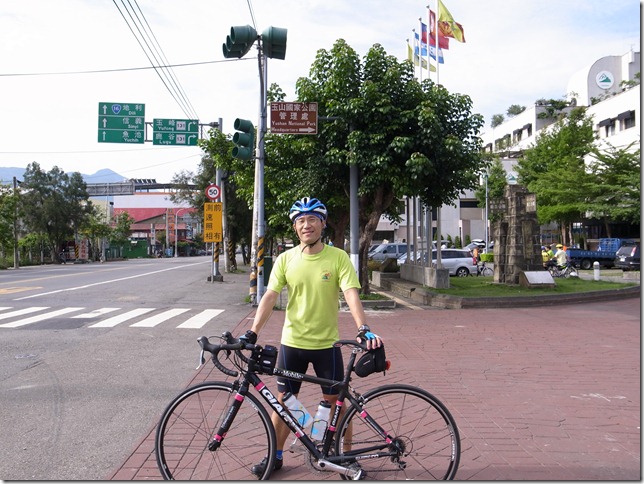
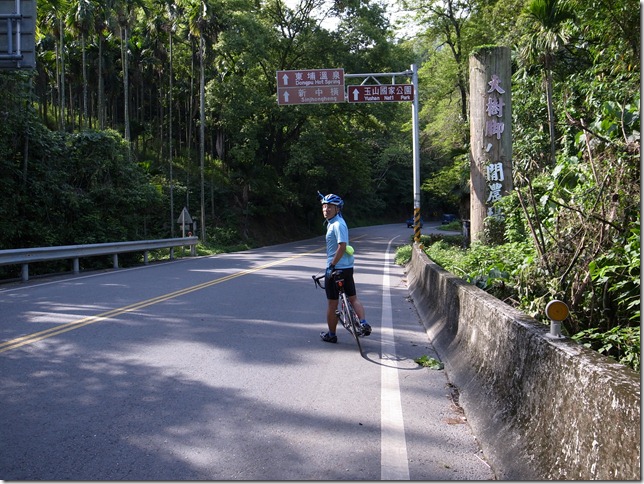
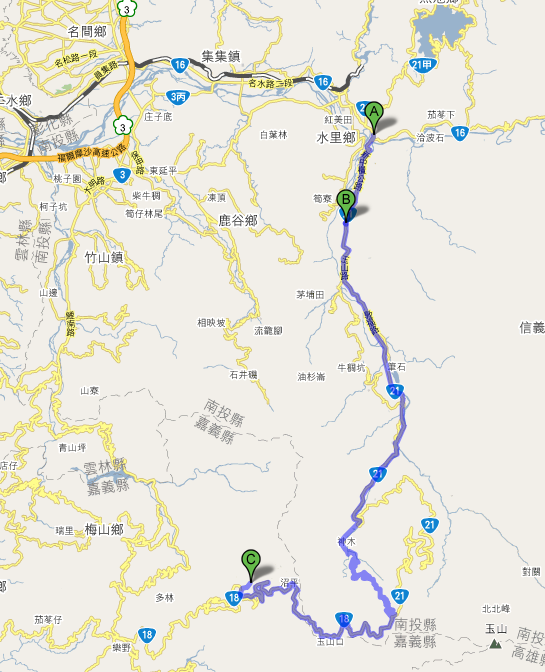
bike 塔塔加 –> 阿里山
bike … 是我的最弱項, 雖然摔了很多次, 不過還是怕… , 希望可以練好
2010.0501 是今年鐵人的第一場大賽, 我沒報名, 打算拼10月的那場, 那是123K呢還是226? 好猶豫….
我安排獨騎塔塔加來做 bike訓練.
—–
走國道3號 過 南投服務區 , 在名間交流道出口下交流道, 朝名間/集集
5/1 住水里
5/2 住阿里山青年活動中心看螢火蟲
5/3 看日出, 吃奮起湖便當, 下滑到嘉義

[php] inline string vs 兜字串的寫法 速度比較 / 測試 sample code
function timeFunc($function, $runs) {
$times = array();
for ($i = 0; $i < $runs; $i++) {
$time = microtime();
call_user_func($function);
$times[$i] = microtime() - $time;
}
return array_sum($times) / $runs;
}
function Method1() {
$foo = 'some words';
for ($i = 0; $i < 10000; $i++)
$t = "these are $foo";
}
function Method2() {
$foo = 'some words';
for ($i = 0; $i < 10000; $i++)
$t = "these are {$foo}";
}
function Method3() {
$foo = 'some words';
for ($i = 0; $i < 10000; $i++)
$t = sprintf("these are %s", $foo);
}
function Method4() {
$foo = 'some words';
for ($i = 0; $i < 10000; $i++)
$t = "these are " . $foo;
}
function Method5() {
$foo = 'some words';
for ($i = 0; $i < 10000; $i++)
$t = 'these are ' . $foo;
}
print timeFunc('Method1', 10) . "\n";
print timeFunc('Method2', 10) . "\n";
print timeFunc('Method3', 10) . "\n";
print timeFunc('Method4', 10) . "\n";
print timeFunc('Method5', 10) . "\n";
RESULT:
0.0023114
0.002422
0.0072015
0.001946
0.0017625
但是這是 loop 10萬次才有一點點的差距.
結論是 method5(單 quote + concate string) 速度較佳! method3 (sprintf) 最慘!
inline 寫法有兩種, 這兩種都差不多, 所以就 codeing 時的手順上, 以 $foo 這種是比較好寫這也是多數人的寫法 , {$foo} 這種比較好閱讀.
若是在需求上需要加上換行的話, 在一個 strings 中用 inline 寫法把 \n 放在 quote 中, 這種速度卻又比 concate string 寫法來得快.
ps: 速度比較這種題目很多人都會陷入某種迷失, 每個人的環境/需求都不盡相同, 並不是最快的就是適合自己的.
更改 oracle 成 archivelog mode
SQL> shutdown immediate;
Database closed.
Database dismounted.
ORACLE instance shut down.
SQL> startup mount;
ORACLE instance started.
Total System Global Area 603979776 bytes
Fixed Size 1220796 bytes
Variable Size 171970372 bytes
Database Buffers 423624704 bytes
Redo Buffers 7163904 bytes
Database mounted.
SQL> alter database archivelog;
Database altered.
SQL> alter database open;
Database altered.
SQL> select log_mode from v$database;
LOG_MODE
————
ARCHIVELOG
[note] install oracle 10g on ubuntu 910 steps
root@ubuntu910:~# uname -a
Linux ubuntu910 2.6.31-20-generic-pae #58-Ubuntu SMP Fri Mar 12 06:25:51 UTC 2010 i686 GNU/Linux
安裝這些
apt-get update apt-get upgrade apt-get install gcc make binutils libaio1 gawk ksh libc6-dev rpm libmotif3 alien lsb-rpm libtool
root@ubuntu910:~# whereis awk
awk: /usr/bin/awk /usr/lib/awk /usr/share/awk /usr/share/man/man1/awk.1.gz
root@ubuntu910:~# whereis rpm
rpm: /usr/bin/rpm /usr/lib/rpm /usr/share/man/man8/rpm.8.gz
root@ubuntu910:~# whereis basename
basename: /usr/bin/basename /usr/share/man/man1/basename.1.gz
修正這些 bin 的 path , oracle 10g
ln -s /usr/bin/awk /bin/awk ln -s /usr/bin/rpm /bin/rpm ln -s /usr/bin/basename /bin/basename
設定帳號 / group 及建目錄
addgroup oinstall addgroup dba addgroup nobody usermod -g nobody nobody useradd --create-home --home-dir /home/oracle --gid dba --shell /bin/bash oracle usermod --groups admin oracle chown -R oracle:dba /home/oracle mkdir -p /u01/app/oracle chown -R oracle:dba /u01 chmod -R 755 /u01 # 改一下 oracle 的 password passwd oracle
修改 LINUX OS 系統參數 /etc/sysctl.conf
fs.file-max = 65535 kernel.shmall = 2097152 kernel.shmmax = 2147483648 kernel.shmmni = 4096 kernel.sem = 250 32000 100 128 net.ipv4.ip_local_port_range = 1024 65535 net.core.rmem_default = 1048576 net.core.rmem_max = 1048576 net.core.wmem_default = 262144 net.core.wmem_max = 262144
及 /etc/security/limits.conf
oracle soft nproc 2047 oracle hard nproc 16383 oracle soft nofile 1023 oracle hard nofile 65535
vi ~oracle/.profile
# # export ORACLE_BASE=/u01/app/oracle export ORACLE_HOME=$ORACLE_BASE/product/10.2.0/db_1 export ORACLE_SID=orcl # PATH=$ORACLE_HOME/bin:$PATH:$HOME/bin export PATH # unset USERNAME # #
reboot ubuntu 讓 OS tunning 參數生效
用 oracle 帳號login
搞定 X window 或在 ubuntu 圖型界面下開始安裝 oracle
X window 參考: http://www.monster.com.tw/archives/1098
圖形界面參考: http://www.monster.com.tw/archives/1709
cd /database 後下:
./runInstaller -ignoreSysPrereqs
// ———————————————-
遇到這個問題
INFO: gcc: /usr/lib/libstdc++.so.5: No such file or directory
INFO: /u01/app/oracle/product/10.2.0/db_1/bin/genorasdksh: Failed to link liborasdkbase.so.10.2
INFO: make: *** [liborasdkbase] Error 1
cd /usr/lib ls -l libstdc++* lrwxrwxrwx 1 root root 19 2010-04-17 22:14 libstdc++.so.6 -> libstdc++.so.6.0.13 -rw-r--r-- 1 root root 962800 2010-01-10 23:53 libstdc++.so.6.0.13 # ln -sf libstdc++.so.6.0.13 libstdc++.so.5
遇到這個問題
/u01/app/oracle/product/10.2.0/db_1/oc4j/j2ee/OC4J_DBConsole…. not found
.
.
.
oracle@ubuntu910:~$ netstat -an |grep LIST tcp 0 0 127.0.0.1:6010 0.0.0.0:* LISTEN tcp 0 0 0.0.0.0:3938 0.0.0.0:* LISTEN tcp 0 0 0.0.0.0:1158 0.0.0.0:* LISTEN tcp 0 0 0.0.0.0:5520 0.0.0.0:* LISTEN tcp 0 0 0.0.0.0:1521 0.0.0.0:* LISTEN tcp 0 0 0.0.0.0:33044 0.0.0.0:* LISTEN tcp 0 0 0.0.0.0:22 0.0.0.0:* LISTEN tcp 0 0 127.0.0.1:631 0.0.0.0:* LISTEN tcp6 0 0 ::1:6010 :::* LISTEN tcp6 0 0 :::22 :::* LISTEN tcp6 0 0 ::1:631 :::* LISTEN unix 2 [ ACC ] STREAM LISTENING 4621 /var/run/cups/cups.sock unix 2 [ ACC ] STREAM LISTENING 3998 @/var/run/hald/dbus-W4TPdf1r7s unix 2 [ ACC ] STREAM LISTENING 2677 @/com/ubuntu/upstart unix 2 [ ACC ] STREAM LISTENING 6110 /var/tmp/.oracle/sEXTPROC0 unix 2 [ ACC ] STREAM LISTENING 6108 /var/tmp/.oracle/s#1165.1 unix 2 [ ACC ] STREAM LISTENING 6112 /var/tmp/.oracle/s#1165.2 unix 2 [ ACC ] STREAM LISTENING 3610 @/var/run/hald/dbus-Empv97RMbr unix 2 [ ACC ] STREAM LISTENING 3564 /var/run/dbus/system_bus_socket
PS note:
- 開機時自動啟動 oracle database 及 listener – http://www.akadia.com/services/ora_linux_install_10g.html
- .
其他相關的檔案/設定:
monster@ubuntu910:~$ cat /etc/fstab # /dev/sdb1 none swap sw 0 0 /dev/sdc1 /u01 ext2 rw 0 0 monster@ubuntu910:~$ cat /etc/hosts 127.0.0.1 localhost 172.30.0.48 ubuntu910.monster.tw ubuntu910 #
default 有這幾個 tablespace
SQL> select tablespace_name from dba_tablespaces; TABLESPACE_NAME ------------------------------ SYSTEM UNDOTBS1 SYSAUX TEMP USERS