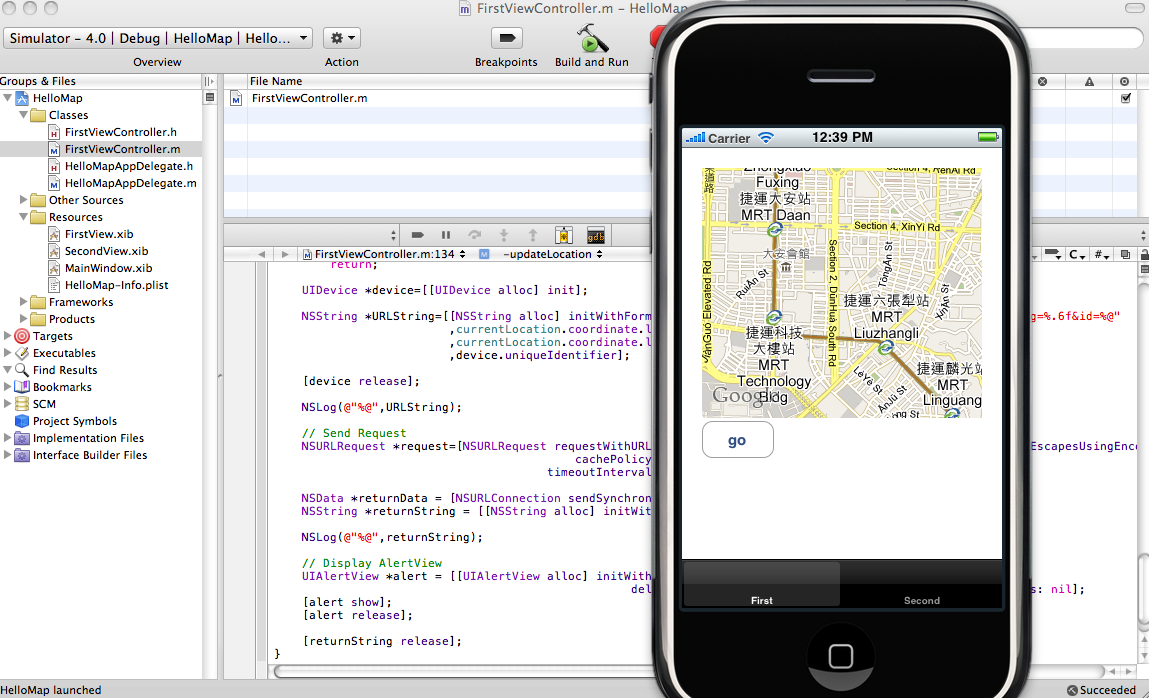
這隻程式會展現一個地圖, 並以目前定位的座標為中心點, 及一個按鈕,按下按鈕會把座標及UDID傳送到 server , 由 server 端的程式記錄下來, 並且 server 端亂數送出一個水果名回傳給 iPhone client 端, iPhone client 端再把這水果名 show 在 iPhone screen上.
底下是片斷程式碼:
FirstViewController.h :
#import
#import
#import

@interface FirstViewController : UIViewController  {
  IBOutlet MKMapView *mapView;
  CLLocationManager *locationManager;
  CLLocation *currentLocation;

}

- (IBAction) updateLocation;

@end
FirstViewController.m :
- (void)viewDidLoad {
  [super viewDidLoad];

  if (locationManager==nil) {
    locationManager = [[CLLocationManager alloc] init];
    locationManager.delegate = self;
  }

  [locationManager startUpdatingLocation];

  [mapView setMapType:MKMapTypeStandard];
}

- (void)locationManager:(CLLocationManager *)manager
  didUpdateToLocation:(CLLocation *)newLocation
       fromLocation:(CLLocation *)oldLocation {

  NSLog(@"Location : %.6f , %.6f", newLocation.coordinate.latitude , newLocation.coordinate.longitude );

  MKCoordinateRegion region = [mapView region];

  region.center = newLocation.coordinate;

  MKCoordinateSpan span;
  span.latitudeDelta = 0.01;
  span.longitudeDelta = 0.01;
  region.span = span;
  [mapView setRegion:region animated:TRUE];

  //
  if ( currentLocation != nil) {
    [currentLocation release];
    currentLocation = nil;
  }
  currentLocation = [newLocation copy];

}
- (IBAction) updateLocation {

  if(currentLocation==nil)
    return;

  UIDevice *device=[[UIDevice alloc] init];

  NSString *URLString=[[NSString alloc] initWithFormat:@"http://z.monster.tw/save_location.php?lat=%.6f&lng=%.6f&id=%@"
             ,currentLocation.coordinate.latitude
             ,currentLocation.coordinate.longitude
             ,device.uniqueIdentifier];

  [device release];

  NSLog(@"%@",URLString);

  // Send Request
  NSURLRequest *request=[NSURLRequest requestWithURL:[NSURL URLWithString:[URLString stringByAddingPercentEscapesUsingEncoding:NSUTF8StringEncoding]]
                       cachePolicy:NSURLRequestReloadIgnoringCacheData
                     timeoutInterval:20.0];

  NSData *returnData = [NSURLConnection sendSynchronousRequest:request returningResponse:nil error:nil];
  NSString *returnString = [[NSString alloc] initWithData:returnData encoding:NSUTF8StringEncoding];

  NSLog(@"%@",returnString);

  // Display AlertView
  UIAlertView *alert = [[UIAlertView alloc] initWithTitle:returnString message:@"Thanks!"
                           delegate:self cancelButtonTitle:@"Close" otherButtonTitles: nil];
  [alert show];
  [alert release];

  [returnString release];
}