Posts tagged ‘Programming/php’

各類使用 http proxy 的設定方法: pecl / pear / apt / rpm / yum

pear config-set http_proxy http://172.30.1.123:8080/

export http_proxy="http://172.30.1.123:8080"

很強的 Message Broker : ActiveMQ

Supports a variety of Cross Language Clients and Protocols from Java, C, C++, C#, Ruby, Perl, Python, PHP

Features : http://activemq.apache.org/features-overview.html

Protected: [sample code] preg_match , regular expression match ,

This post is password protected. To view it please enter your password below:


debian / ubuntu 裝 memcached 跟 pecl memcache

裝 memcached :

apt-get install memcached

/etc/default/memcached 裡面設 yes –> 啟用 設定檔 /etc/memcached.conf

裝 php5 的 memcache extension

apt-get install php5-memcache

會產生 /etc/php5/conf.d/memcache.ini 內容是

extension=memcache.so

[memcache]
memcache.dbpath="/var/lib/memcache"
memcache.maxreclevel=0
memcache.maxfiles=0
memcache.archivememlim=0
memcache.maxfilesize=0
memcache.maxratio=0

—– 以下是舊的方法, 2010.0630 前

裝 pecl memcache

aptitude install libevent-dev

因為 pecl 要用到 phpize , 所以要裝 php5-dev 套件

apt-get install php5-dev

apt-get install php-pear

pecl install memcache

裝好了, 要在 /etc/php5/conf.d 設一個檔 memcache.ini

cat > /etc/php5/conf.d/memcache.ini
extension=memcache.so

一些 memcache 的資料

debian / ubuntu 裝 oracle instant client / sqlplus / oci8 / apache2 config / steps by steps

2011.0530 整理的 install step by step:
OS : uname -a
Linux ubuntu 2.6.38-8-server #42-Ubuntu SMP Mon Apr 11 03:49:04 UTC 2011 x86_64 x86_64 x86_64 GNU/Linux

Oracle client : 11.2 R1

google "oracle instant client download"
到 oracle 網頁找 Instant Client for Linux x86-64 / Version 11.2.0.1.0 (PS: Version 11.2.0.2.0 這版有問題)
download 這兩個
oracle-instantclient11.2-basic-11.2.0.1.0-1.x86_64.rpm (47,811,007 bytes)
oracle-instantclient11.2-devel-11.2.0.1.0-1.x86_64.rpm (606,343 bytes)
用 alien 裝起來
  102  alien -i *basic*
  103  alien -i *devel*

新增這個檔 /etc/ld.so.conf.d/oracle.conf , 內容:
/usr/lib/oracle/11.2/client64/lib/

  104  cat /etc/ld.so.conf.d/oracle.conf
  105  ls -l /usr/lib/oracle/
  106  ls -l /usr/lib/oracle/11.2/client64/lib/

安裝 LAMP :
  108  export http_proxy="http://172.30.1.123:8080"
  109  apt-get install apache2 libapache2-mod-php5 php5 php5-gd mysql-server php5-mysql

安裝 libaio 套件
  138  apt-get install libaio1

安裝 pear 套件
  112  apt-get install php-pear

安裝 pecl 的 oci8 套件
pear config-set http_proxy http://172.30.1.123:8080/

  114  pecl update-channels
  115  pecl install oci8

  117  find /etc -name php.ini
這兩個檔要加入 oci8 的 extentsion
/etc/php5/cli/php.ini
/etc/php5/apache2/php.ini

install ok: channel://pecl.php.net/oci8-1.4.5
configuration option "php_ini" is not set to php.ini location
You should add "extension=oci8.so" to php.ini <------ 加這行

跑看看測試code:

$conn = oci_connect('oracle_user', 'oracle_pass', 'ip_address/instant_id');

$stid = oci_parse($conn, "select to_char(sysdate, 'YYYY-MM-DD HH24:MI:SS') from dual" );
oci_execute($stid);

$row = oci_fetch_array($stid, OCI_ASSOC+OCI_RETURN_NULLS);
print_r( $row );

oci_close( $conn );

// ——————————–
以下是 2011.5.25 修改

   69  find / -name sqlplus -print
   70  /usr/lib/oracle/11.2/client64/bin/sqlplus
   71  cat > /etc/ld.so.conf.d/oracle.conf

   73  ls -l /usr/lib/oracle/11.2/client64/lib/

   76  vi /etc/ld.so.conf.d/oracle.conf
   77  apt-get install apache2 libapache2-mod-php5 php5 php5-gd mysql-server php5-mysql

   86  apt-get install php-pear

   91  pear config-set http_proxy http://172.30.1.123:8080/
   92  pecl update-channels

   95  pecl install oci8

2010.0630 : 今天又在 debian 裝一次 發現, 這個版本沒辦法裝 oracle-instantclient11.2.* , 所以繼續用 instantclient11.1.*

Ubuntu 安裝 RPM 要用 alien …
sudo apt-get install alien

Ref. https://help.ubuntu.com/community/HowToBuildToraWithOracle

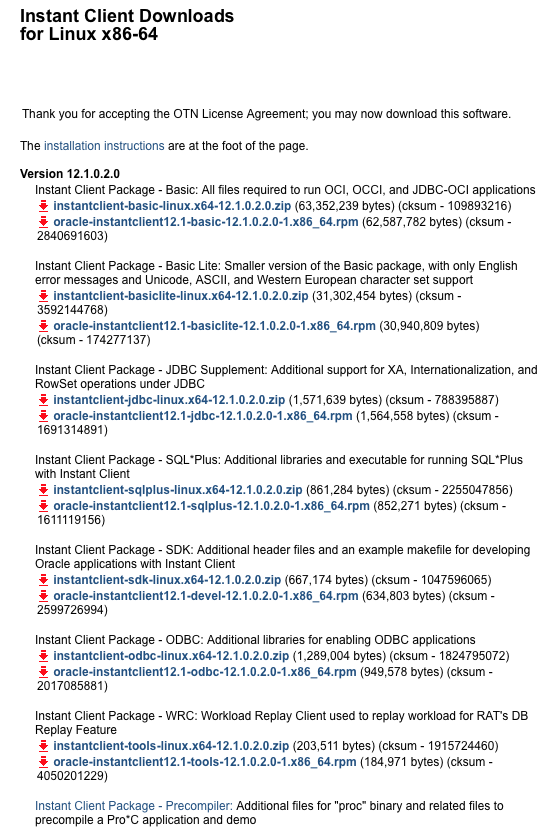
先去 http://www.oracle.com/technology/software/tech/oci/instantclient/htdocs/linuxsoft.html

download 這幾個 files (rpm)

Instant Client Package – Basic Lite
oracle-instantclient11.1-basiclite-11.1.0.7.0-1.i386.rpm

Instant Client Package – SQL*Plus
oracle-instantclient11.1-sqlplus-11.1.0.7.0-1.i386.rpm

Instant Client Package – SDK
oracle-instantclient11.1-devel-11.1.0.7.0-1.i386.rpm

下 alien 指令安裝 rpm

alien -i oracle-instantclient11.1-basiclite-11.1.0.7.0-1.i386.rpm
alien -i oracle-instantclient11.1-sqlplus-11.1.0.7.0-1.i386.rpm
alien -i oracle-instantclient11.1-devel-11.1.0.7.0-1.i386.rpm

裝好後用 sqlplus 聯看看 , 因為我得到一個 lib error

所以我要裝 apt-get install libaio1

在 /etc/ld.so.conf.d 加一個檔 cat > /etc/ld.so.conf.d/oracle.conf

內容是 oracle lib 的 path /usr/lib/oracle/11.1/client/lib

然後

apt-get install php5

apt-get install php5-dev

因為 oci8 是由 pecl 來安裝的, 所以要 apt-get install php-pear

再來裝 oci8 : pecl install oci8

在 /etc/php5/conf.d 下建一個 oci8.ini 檔 , cat > /etc/php5/conf.d/oci8.ini 內容是

extension=oci8.so

重新啟動 apache2 :

service apache2 restart

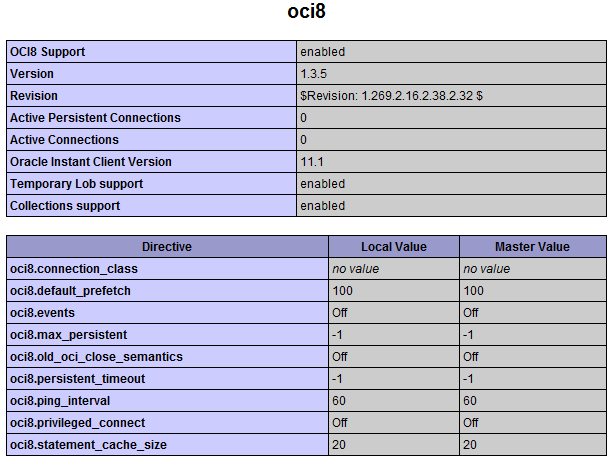
看看 phpinfo 有沒有出現 oci8 等字樣就 ok 了

53420fcc8f6596bc2b6cd3511eae7d84
cebcda336140c38e51b889ec7f9319c3

加一個 virtual host :

在 /etc/apache2/sites-enabled 增加一個 xxx.conf 檔

CodeIgniter 需要用 rewrite module :

ls -sf /etc/apache2/mods-available/rewrite.load /etc/apache2/mods-enabled

gentoo emerge php options

2009.0630 Monster LAMP Pack:

取消 :
ncurses pdo readline spell

增加 :
ctype json sockets
berkdb gdbm
xmlreader xmlwriter
oci8-instant-client

USE="apache2 berkdb bzip2 calendar cjk cli crypt ctype curl gd gdbm hash iconv json mysql mysqli nls oci8-instant-client pcre reflection session simplexml sockets spl ssl tokenizer truetype unicode xml xmlreader xmlwriter zlib" emerge -av php

2009.0630 發現 wordpress code 裡面有用到 token_get_all ( tokenizer 所以不能取消)

PHP Coding Standards

參考: Mantis : http://www.mantisbt.org/guidelines.php

中文翻譯: http://www.ichiayi.com/wikipage/tech/mantis_coding

First, start off by reading the PHP Coding Standards document. I’ve deviated in a few places but just about everything in the document applies here as well.

Above all, write code that is easy to read and maintain. Comment blocks of code and functions at all times. And get on my case if I deviate too much as well!

Naming Variables
  • Use all lower case.
  • Use _ to separate words, e.g. $green_color_value
  • Use descriptive names (except loop variables).
  • Loop variables can be of the usual variety: $i, $j, $k, etc.
  • Count variables should follow the format $*_count, e.g. $bug_count
  • Global variables should be prefixed with g_
  • Temporary variables should be prefixed with t_
  • Parameters and variables passed from forms that have been cleaned of any special SQL chars (i.e. slashes) should be prefixed with c_
  • Uncleaned function parameters should be prefixed with p_
  • Uncleaned variables passed from forms should be prefixed with f_
  • Other variables are prefixed with v_, v2_, etc.
  • Never prefix with l_ or o_ or q_ (visually confusing)
  • $query and $result should be used for SQL query and results respectively
Naming Functions
  • Use all lower case.
  • Use _ to separate words, e.g. setup_page_breaks()
  • Keep functions to 5 words or less
  • Functions that print should be prefixed with print_.
  • Try to use prefixes to group functions (i.e., email_, news_, etc.)
Naming Classes
  • Use FirstLetterOfWordIsCaptilized style
  • Variables that are class objects should have the prefix coo_
Naming Files
  • Use all lower case.
  • Use _ to separate words, e.g. view_new_bugs_page.php
  • Use .php file extensions
  • Filenames must be less than 32 characters in length. This plays nice with older file systems like Mac OS.
  • Included files should be suffixed by _inc.php
SQL formatting
  • UPPERCASE all SQL keywords:
    $query = "SELECT *
    	FROM $g_mantis_bug_table
    	WHERE id='1'";
  • Always assign a query string to a variable. This makes code easier to debug when problems occur. Do not create the query in the call to the function.
  • Break up SQL queries over multiple lines to be easy to read.
General Formatting
  • Use TABS with a size of 4
  • Follow the table formatting of existing pages
  • Use <?php ?> for php delimiters.
  • Try not to print/echo HTML unless it’s short or in a function loop
  • Do not use the EOF construct
Miscellaneous
  • Don’t use the ?: construct except in very rare cases. It is confusing and has a lot of bug potential.
  • Avoid magic numbers. The only magic numbers in use should be 1 and 0 and their meaning should be obvious.
Page Guidelines
  • The first item should be the copyright notice
  • At the bottom will be the footer information and closing print_ functions.
Braces and Parantheses
  • Parantheses should be right after a function name, e.g. function() not function ()
  • Parantheses should have a space right after a keyword (if, while, for), e.g. for (…)
  • Formatting of braces is illustrating below. We use unmatched placing.
  • Arrays should be referenced with no spaces, e.g. $arr['index'] not $arr[ 'index' ]
    for (...) {
        blah
    }
    
    or
    
    if (...) {
        blah
    }
  • if … else blocks should be in this format:
    if (...) {
        blah1
    } else {
        blah2
    }
Comparisons
  • The NOT operator should be placed next to its operand. No spaces, e.g. !$value
  • Parentheses should be used for grouping, especially with multiple comparisons, e.g. if ( ( null == $val ) && ( null == $val2 ) )
Strings
  • Use spaces around the string concatenation operator, e.g. ‘str ‘ . $value . ‘ str2′;
  • Use ‘ instead of " if there are no variables or special characters.
Comments
  • Use the # symbol for line commenting, not //
  • Use /* */ for block commenting unless you nest /* */ comments. Generally, only use this during development.
  • Use @@@ followed by a brief message (BROKEN, TEMPORARY, etc) as a "look at this" indicator. Leaving your name next to is a good idea. This way critical items can easily be found.
Editor Features
  • Search and replace in multiple files
  • Goto line number
  • Syntax highlighting
  • Adjustable TAB spacing

用 pecl inclued 產生關聯圖

這是一隻用 codeigniter 寫的一個簡單的程式 , 然後用 pecl inclued 把它的 include/require 關聯圖畫出來

22222

參考 URL : http://baniclin.blogspot.com/2008/09/pecl-inclued.html

oci / compile php with oracle instant client

小筆記一下…

oracle 那邊 download 這幾個 file

-rw-rw-r– 1 root portage 44414338 Feb 24 13:41 instantclient-basic-linux32-11.1.0.7.zip
-rw-rw-r– 1 root portage   607196 Feb 24 13:41 instantclient-sdk-linux32-11.1.0.7.zip

放到 /usr/portage/distfiles 這底下

然後 PHP 是這麼編的

USE="apache2 berkdb bzip2 calendar cjk cli crypt curl gd gdbm hash iconv json mysql mysqli ncurses nls oci8-instant-client pcre readline reflection session simplexml spell spl ssl truetype unicode xml zlib" emerge -av php

[note] javascript 的 foreach / split / php explode style 寫法

var loc="25.258861, 121.509389";
var arr=loc.split(","); 

var content = '';
for (var key in arr) {
  content += key + ' : ' + arr[key] + "\n";
}

另一個

var myarr = new Array('red','green','blue');

var content='';
for(var key in myarr){
	content += key+' : '+myarr[key]+"\n";
}

alert( content );

Codeigniter 聯接 Oracle database 要改的地方

Codeigniter version 1.6.3
Oracle version 10.2.0.4 use oci8

遇到這個 error :
Message: ocifetchinto() expects parameter 1 to be resource, null given

// 這個檔 \system\database\DB_driver.php 改成..

// $RES->num_rows	= $RES->num_rows();

if ($this->dbdriver == 'oci8')
{
  $RES->stmt_id		= $this->stmt_id;
  $RES->curs_id		= NULL;
  $RES->limit_used	= $this->limit_used;
}
$RES->num_rows	= $RES->num_rows();


解決沒有使用 UTF8 的問題

// 這個檔 \system\database\drivers\oci8\oci8_driver.php
// 改兩個地方:
function db_connect() 的
return @ocilogon($this->username, $this->password, $this->hostname,$this->char_set);

db_pconnect() 的
return @ociplogon($this->username, $this->password, $this->hostname,$this->char_set);


codeigniter 的連線設定

$db['default']['hostname'] = '//172.20.10.6/DB1';
$db['default']['username'] = "scott";
$db['default']['password'] = "*****";
$db['default']['database'] = "DB1";
$db['default']['dbdriver'] = "oci8";
$db['default']['dbprefix'] = "";
$db['default']['pconnect'] = TRUE;
$db['default']['db_debug'] = TRUE;
$db['default']['cache_on'] = TRUE;
$db['default']['cachedir'] = "";
$db['default']['char_set'] = "utf8";
$db['default']['dbcollat'] = "utf8_general_ci";

相關聯結:

http://download.oracle.com/docs/cd/B25329_01/doc/install.102/b25144/toc.htm#BABBGFIC


codeigniter 的 oracle driver 問題還不少, 同一隻程式第二個 sql select 的結果跟第一個一樣…

要改

/system/database/drivers/oci8/oci8_driver.php
的159行
if ( ! is_resource($this->stmt_id))
{
  $this->stmt_id = ociparse($this->conn_id, $this->_prep_query($sql));
}
改成
$this->stmt_id = ociparse($this->conn_id, $this->_prep_query($sql));
就夠了.

install oracle instant client basic on gentoo linux step by step

emerge -av dev-db/oracle-instantclient-basic dev-db/oracle-instantclient-sqlplus

!!! dev-db/oracle-instantclient-basic-11.1.0.7.0 has fetch restriction turned on.
!!! This probably means that this ebuild's files must be downloaded
!!! manually.  See the comments in the ebuild for more information.

 * Please go to:
 *   http://www.oracle.com/technology/tech/oci/instantclient/index.html
 * select your platform and download the
 * Basic client package with SDK, which are:
 *   instantclient-basic-linux32-11.1.0.7.zip
 *   instantclient-sdk-linux32-11.1.0.7.zip
 * Then after downloading put them in:
 *   /usr/portage/distfiles


http://www.oracle.com/technology/tech/oci/instantclient/index.html

factory ~ # cd /usr/portage/distfiles
factory distfiles # ls -l *zip
-rw-rw-r-- 1 apache portage 34556803 Aug  6 17:17 instantclient-basic-linux32-10.2.0.3-20061115.zip
-rw-rw-r-- 1 apache portage   602897 Aug  6 17:17 instantclient-sdk-linux32-10.2.0.3-20061115.zip

emerge -av dev-db/oracle-instantclient-basic
#

USE="apache2 berkdb bzip2 calendar cjk cli crypt ctype curl gd gdbm hash iconv json mysql mysqli nls oci8-instant-client pcre reflection session simplexml sockets spl ssl tokenizer truetype unicode xml xmlreader xmlwriter zlib" emerge -av php

PHP 小筆記

[code language='php']
echo PHP_SAPI;
?>

[/code]

這個常數在 CLI mode 下是 cli
在 apache 下跑的話是 apache2handler

Protected: 今天看到的文章

This post is password protected. To view it please enter your password below:


我寫了一個小工具 kml2csv 上線測試

主要是要為了編輯我騎車時所留下的 Google Earth 路徑而寫的小程式 , 大家用看看
有問題或想法再告訴我…

http://www.monster.com.tw/kml2csv

使用流程:
Logger –> Google KML –> KML2CSV –> Edit with Excel –> ExcelToKML –> Google Earth

一些處理 javascript 減少 server http connection 數的方法


http://joliclic.free.fr/php/javascript-packer/en/
http://yuiblog.com/blog/2008/07/16/combohandler/
This is a fast, low-overhead port of Douglas Crockford’s JSMin JavaScript minifier to PHP. It requires PHP 5 or higher.
JSMin is a filter which removes comments and unnecessary whitespace from JavaScript files.
http://code.google.com/p/jsmin-php/

Holux m-241 logger 的 KML data 匯出 , 用 excel 編輯後再轉回 KML

今天早上都在玩這個…
把 kml 檔案用 simplexml 讀出來 , 簡單分析了一下就知道座標跟高度等資料在那裡了,
接著用以下的程式把它轉出 csv 檔
[code language='php']
$string=file_get_contents("0816.kml");

$xml = simplexml_load_string($string);

printf("Name,Latitude,Longitude,Altitude,Dist,Description ,Icon,IconScale,IconAltitude,IconHeading, IconColor, LineStringColor,HideNameUntilMouseOver\n");

$icon="196";
$iconscale="0.2";
$iconaltitude=10;
$iconheading="line-180";
$iconcolor="yellow";
$linestringcolor="aqua";
$HideNameUntilMouseOver="true";

$cnt=0;
$t1=0;
$last_point=array();
$dist=0;
$total_dist=0;
$ignore_time=120; // 120 seconds
$ignore_dist=10; // 10 meters

foreach ($xml->Document->Folder->Placemark as $k=>$v) {
$point=explode(",",trim($v->Point->coordinates));
if ( $last_point[0] ) {
$dist=sqrt( pow(abs($point[0]-$last_point[0])*110.766417,2) + pow(abs($point[1]-$last_point[1])*110.766417,2) );
$dist*=1000;
} else {
$dist=0;
}
$total_dist+=$dist;
$last_point=$point;
if ( $point[2]name);
$timestamp=strtotime($str_time);
if ( ($timestamp-$t1)<$ignore_time &amp;&amp; $dist<$ignore_dist ) continue;
$t1=$timestamp;
printf("%s , ",date("H:i:s",$timestamp));
printf("%s , ",$point[1]);
printf("%s , ",$point[0]);
printf("%s , ",$point[2]);
printf("%s , ",$total_dist);
printf("NO.%d
%s
Altitude : %s M , ",$cnt++,$str_time,$point[2]);
printf("%s , ",$icon);
printf("%s , ",$iconscale);
printf("%s , ",$iconaltitude);
printf("%s , ",$iconheading);
printf("%s , ",$iconcolor);
printf("%s , ",$linestringcolor);
printf("%s , ",$HideNameUntilMouseOver);
printf("\n");
}[/code]

用 excel 把 csv 讀進來編輯, 一方面用 google earth 來對原來資料 , 看那邊停留久的 data
減少一些 , 再用這個 service 把 csv 轉回 KML 檔

Excel To KML – Display Excel files on Google Earth

今天(8/19)聽了 aska 的建議, 增加 “忽略” 時間跟距離的片段進去

今天(8/21)終於把這段程式改成可以給大家用的 service 了:
http://www.monster.com.tw/kml2csv

Monster All-In-One LAMP Pack 0726A ( package )

oracle/sqlrelay/php 把 field 的 name 轉成小寫 sample code

// $__oradb->setOption('portability', DB_PORTABILITY_LOWERCASE);
require_once "config.php";
require_once "sqlrelay.php";

unset($__config['sqlrelay_dsn']);
$__config['sqlrelay_dsn'][]="sqlrelay://xx_id:xx_pass@172.30.0.17:9000";

$sql="select aaa,bbb from xxxx t where g_close_date is null";

$__now=get_microtime();
$__oradb=_fn_connect_sqlrelay();
$__oradb->setOption('portability', DB_PORTABILITY_LOWERCASE);

$result = $__oradb->query($sql);
if (DB::isError($result)) {
  echo "db error\n";
  printf("Execution time : %s\n",get_microtime()-$__now);
  exit;
}

while ( $row=$result->fetchRow(DB_FETCHMODE_ASSOC) ) {
  // -----
  echo $row['aaa'] . ' : ' . $row['bbb'];
}

$result->free();
$__oradb->disconnect();

// 取時間 function
function get_microtime() {
    list($usec, $sec) = explode(' ',microtime() );
    return ((double)$usec + (double)$sec);
}