install oracle 11g steps

記錄一下, 方便查詢

ORACLE URL : Installing Oracle Database 11g Release 1 on Enterprise Linux 5 (32- and 64-bit)
http://www.oracle.com/technology/pub/articles/smiley-11gr1-install.html?rssid=rss_otn_articles

ORACLE wiki : http://wiki.oracle.com/

step-by-step screenshots : http://www.thegeekstuff.com/2008/10/oracle-11g-step-by-step-installation-guide-with-screenshots/

Install Oracle 11g on CentOS with VMware ( Mac )
http://wiki.oracle.com/page/Installing+Oracle+11g+on+CentOS+under+VMWare+on+a+Macbook

Oracle 11g R1 Enterprise安裝研究(CentOS 5.2) : http://forum.icst.org.tw/phpbb/viewtopic.php?f=21&t=16411&start=0&sid=866700eee479d130d126967c3160e7f4

Oracle 11g R2 Enterprise (CentOS 5.3 x86_64) 安裝筆記 : http://hans0713.blogspot.com/2009/10/oracle-11g-r2-enterprise-centos-53.html

Oracle 9i Streams 安裝步驟 – http://www.oracle-base.com/articles/9i/Streams9i.php

Oracle 11g Release 2 RAC On Linux Using VMware Server 2 –
http://www.oracle-base.com/articles/11g/OracleDB11gR2RACInstallationOnOEL5UsingVMwareServer2.php

筆記一下網上看到的:

Linux OS 下這些調整 sysctl

fs.file-max = 65535
kernel.shmall = 2097152
kernel.shmmax = 2147483648
kernel.shmmni = 4096
kernel.sem = 250 32000 100 128
net.ipv4.ip_local_port_range = 1024 65535
net.core.rmem_default = 4194304
net.core.rmem_max = 4194304
net.core.wmem_default = 262144
net.core.wmem_max = 262144

http://forum.icst.org.tw/phpbb/viewtopic.php?f=21&t=16411&start=0&sid=866700eee479d130d126967c3160e7f4

Get MAC address using C

不過 , 這邊有指定 eth0 , 若 server 有很多 interface 的話就要注意一下了.

#include <stdio.h>
#include <sys/ioctl.h>
#include <sys/types.h>
#include <sys/socket.h>
#include <net/if.h>

int main( int argc, char *argv[] )
{
	int s;
	struct ifreq buffer;

	s = socket(PF_INET, SOCK_DGRAM, 0);

	memset(&buffer, 0x00, sizeof(buffer));
	
	strcpy(buffer.ifr_name, "eth0");

	ioctl(s, SIOCGIFHWADDR, &buffer);

	close(s);
	
	for( s = 0; s < 6; s++ )
	{
		printf("%.2X ", (unsigned char)buffer.ifr_hwaddr.sa_data[s]);
	}

	printf("\n");

	return 0;
}

Protected: msg

This content is password protected. To view it please enter your password below:

Categories JOB

有趣的 ASCII ART

USE THIS: https://www.monster.com.tw/archives/8626

有趣的 ASCII ART : http://www.network-science.de/ascii/
Font: larry3d   Reflection: no   Adjustment: left   Stretch: no      Width: 80     Text: monster

                                   __                   
                                  /\ \__                
  ___ ___     ___     ___     ____\ \ ,_\    __   _ __  
/' __` __`\  / __`\ /' _ `\  /',__\\ \ \/  /'__`\/\`'__\
/\ \/\ \/\ \/\ \_\ \/\ \/\ \/\__, `\\ \ \_/\  __/\ \ \/ 
\ \_\ \_\ \_\ \____/\ \_\ \_\/\____/ \ \__\ \____\\ \_\ 
 \/_/\/_/\/_/\/___/  \/_/\/_/\/___/   \/__/\/____/ \/_/ 


UTM test:
item1

[php] regular expression match

preg_match( '/c=([0-9]+)/' , $t->log['dest_query'] , $data);
這樣可以取出 c=xxxx

抓 user agent 版本

preg_match( '/MSIE ([0-9]+.[0-9])/' , $_SERVER['HTTP_USER_AGENT'] , $data_msie_ver);
preg_match( '/Windows NT ([0-9]+.[0-9])/' , $_SERVER['HTTP_USER_AGENT'] , $data_nt_ver);
  if ( !( (float)$data_msie_ver[1]>=6 && (float)$data_msie_ver[1]<=8 ) ) $valid_useragent = 0;

亞瑟士 ASICS 馬拉松訓練營 , 3D足型測量 , foot analysis

今天我為我的訓練目標定下馬拉松要4小時內的目標, 這樣我就要再努力跑快25分鐘才能達成目標..

到底東京馬拉松我要快快跑完呢, 還是邊跑邊照相呢, 想蠻久的….

2009/11/14

活動地點 國立師範大學分部體育大樓3樓會議室 台北市汀州路四段88號
活動時間 am9:00~pm17:00 am8:50報到
名額限制 每場30名(已完成匯款及報名順序為依據,額滿為止)
課程講師 許績勝 教練
訓練營課程 09:00~11:00 亞瑟士3D足型測量活動/鞋款及衣服套量
11:00~12:00 跑步相關資訊授課課
13:00~14:30 綜和座談
15:00~17:00 實地演練
報名費用 2000元
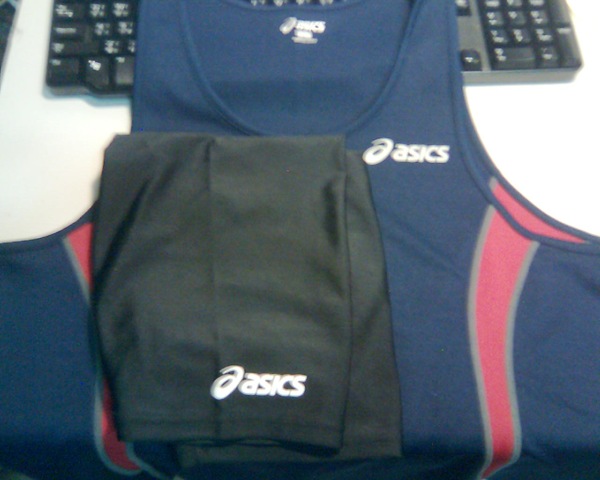
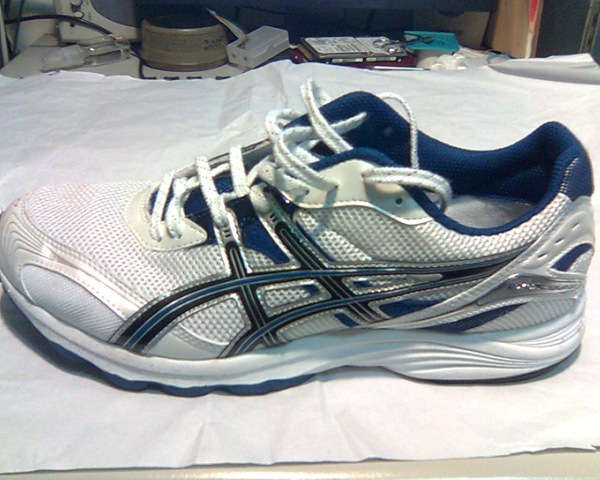
報名禮 亞瑟士田徑背心短褲一套及路跑鞋款一雙(市價4,500元)

今天收穫很多

  1. 瞭解很多自己的腳
  2. 補充水的知識
  3. 很多跑步的技術 …
  4. 調整一些跑步的姿勢
  5. 有報名的亞瑟士還送 田徑背心 , 緊身褲, 路跑鞋, 真的賺到了.

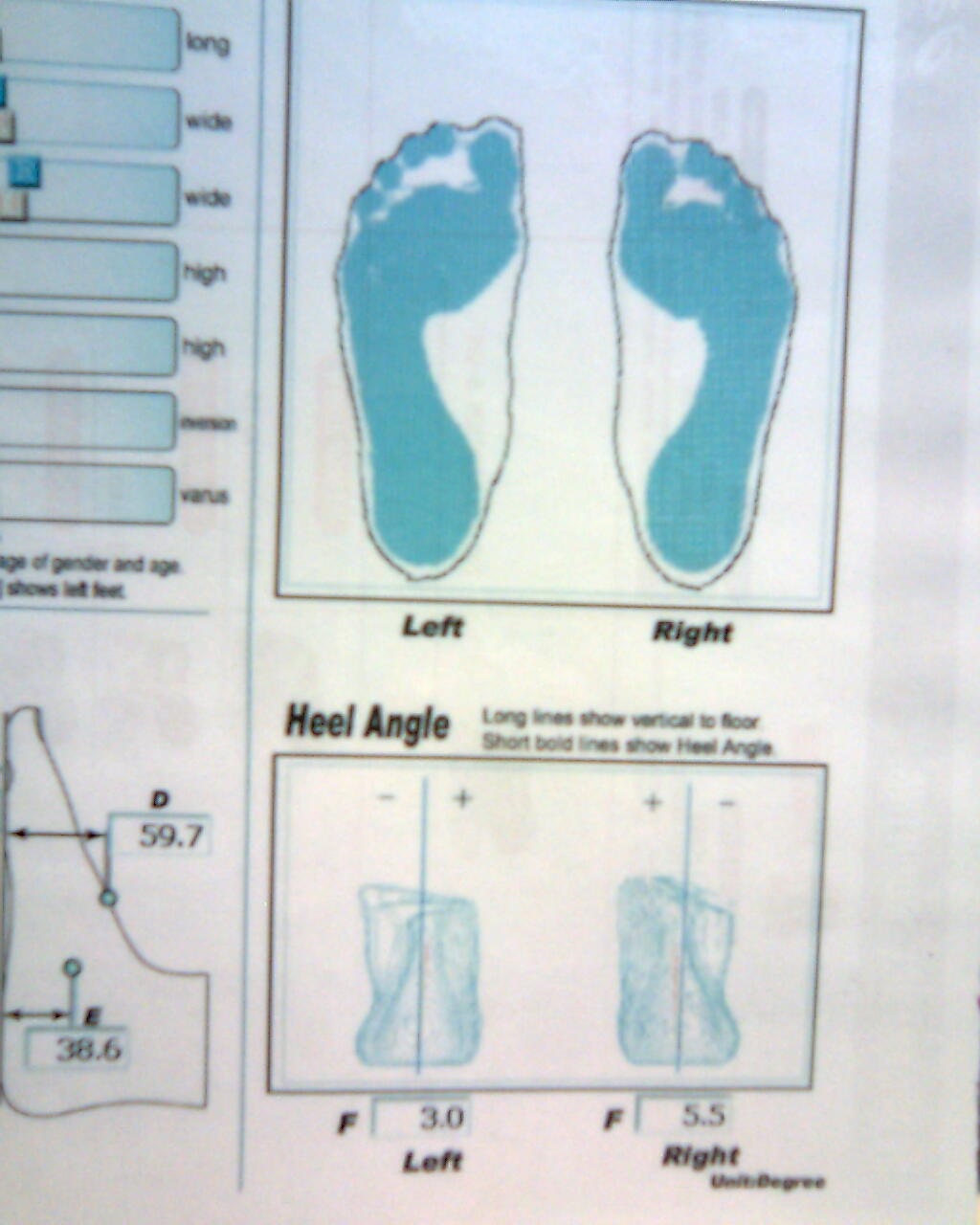
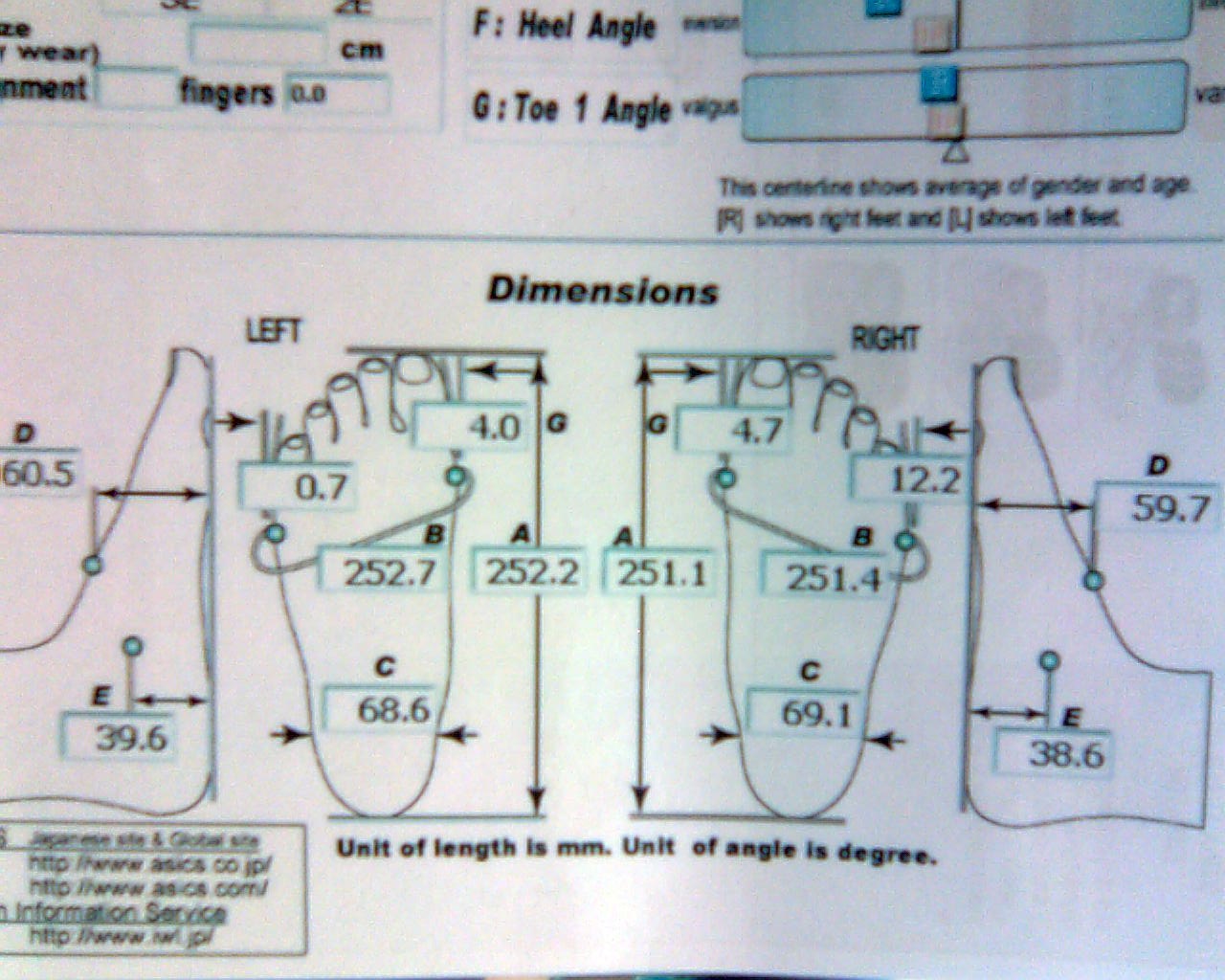
這是我的3D足型測量結果:

A: Foot Length , B: Ball Girth , C: Heel Breadth , D: Instep Height , E: Arch Height (足弓) , F: Heel Angle(內外翻) , G: Toe 1 Angle

JIS , Left: 3E , Right: 2E , 基本上我要穿寬楦的鞋型, 我的左腳更寬:3E , 然後我的右腳外翻較多 5.5度, 本來以為我的腳姆指比較斜, 測的結果並沒有, 倒是我的右腳小指內斜較多, 我的足背較高些, 足弓高.

—-

F: 內旋=外翻 , 2度內標準, 3-4度一般 , 5-6度不好

P000 P001

—-

跑步 1 step 約 1.1 – 1.2M , 所以 42k 約 43,000 steps.

每跨 1step 耗 5卡

早上起床喝水溫28度的水一杯(250cc)

冷水約 8-12度

P004 P005P003

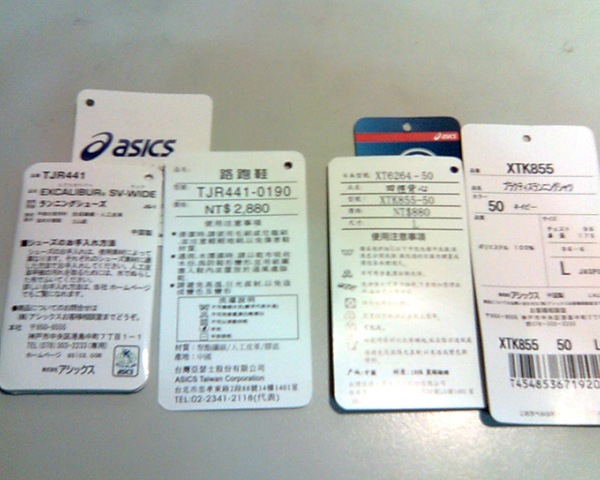
路跑鞋: ASICS, TJR 441 – wide 寬版, 26.5CM , US 8 1/2 , EURO 42

改 gnu screen "窗" 的數量

沒改的話是 40 個 , 改那個  config.h 或是 config.h.in

原本:

/*
 * Maximum of simultaneously allowed windows per screen session.
 */
#ifndef MAXWIN
# define MAXWIN 100
#endif

改成:

/*
* Maximum of simultaneously allowed windows per screen session.
*/
#define MAXWIN 200