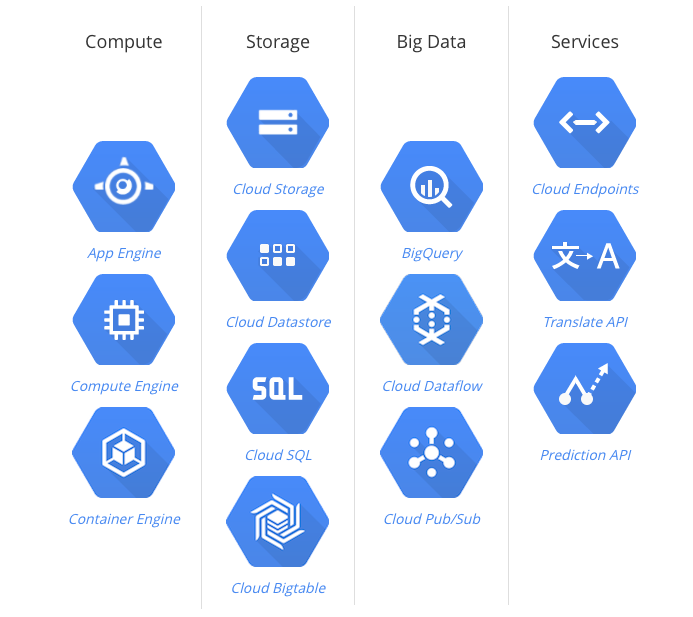
google.com – Google Cloud Platform
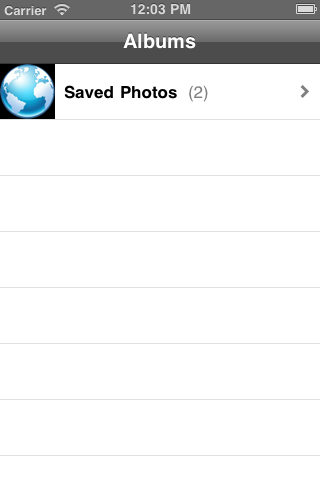
有時候想寫一個從相簿挑選照片的程式, 但 xcode 的 simulator 並不支援照相功能 ,
那個 simulator 相簿總是空空的 , 無法從那邊挑選照片, 於是寫了這個小程式 ,
program 功能是從一個 圖片網址 把那張圖抓下來並且存進 simulator 的相簿中, 這個 code 有實作存成功跟存失敗時的 method.
今天並且練習把這個 open source code hosting 在 google code , 可以 download 下來參考.
URL = https://code.google.com/p/monster-oasis-opensource-iphone/downloads/list
google code 也提供 svn checkout 機制 , 怎麼 check out
參考 URL = https://code.google.com/p/monster-oasis-opensource-iphone/source/checkout
不過發現 google code 雖然提供熟悉的 svn 機制 , 但是有兩大缺點:
不如, 來看一下 git 怎麼用: https://github.com/plans
以下是 這個 code 的截圖:


Open flash chart 有這樣的 數值 data 在線上
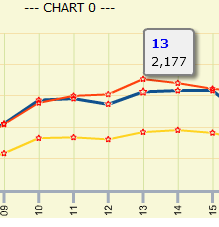
可是要怎樣 google chart 才會有呢?
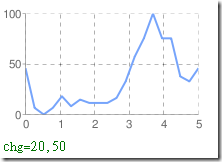
google chart: http://code.google.com/intl/zh-TW/apis/chart/docs/chart_params.html
hunter 說:
http://code.google.com/intl/zh-TW/apis/chart/docs/chart_params.html#gcharts_data_point_labels
URL: http://code.google.com/speed/public-dns/
有 unix server 的人 /etc/resolv.conf 可以設它
nameserver 8.8.8.8
windows 使用者也可看這篇說明來設定
http://code.google.com/speed/public-dns/docs/using.html
好處是
Why should you try Google Public DNS?
By using Google Public DNS you can:
* Speed up your browsing experience.
* Improve your security.
* Get the results you expect with absolutely no redirection.
DYNDNS URL :
DynDNS Update Clients : https://www.dyndns.com/support/clients/
command liek this :
/bin/inadyn -u userid -p userpassword -a xxx.blogdns.net --update_period_sec 30 --log_file /tmp/dyn.log --background &
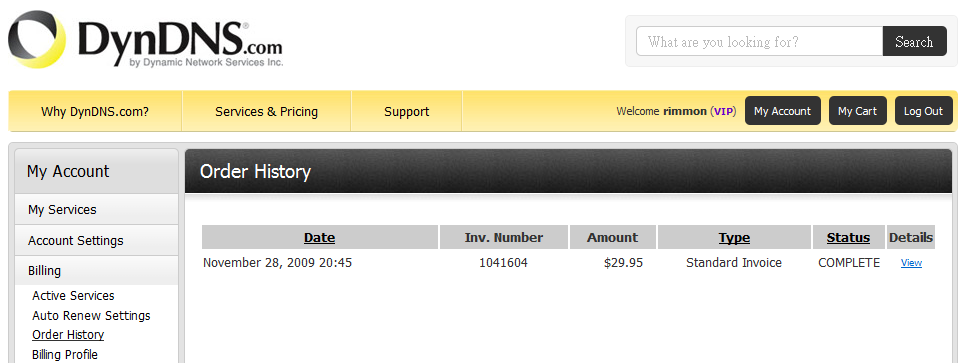
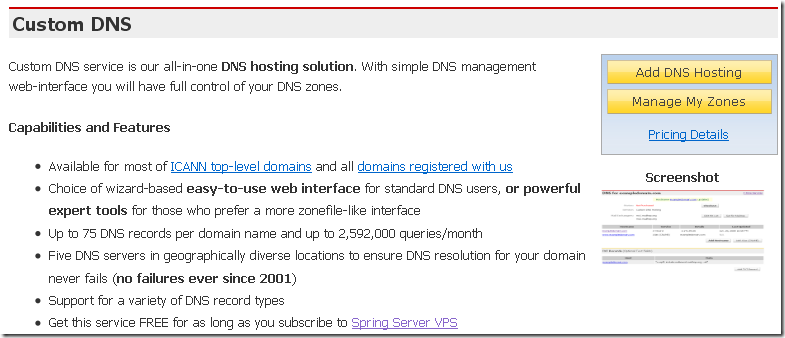
先到 https://www.dyndns.com/ 申請 “Custom DNS Service” (每年USD$29元)
| Server | IP Address |
|---|---|
| ns1.mydyndns.org (Required) | 204.13.248.76 |
| ns2.mydyndns.org (Required) | 204.13.249.76 |
| ns3.mydyndns.org | 208.78.69.76 |
| ns4.mydyndns.org | 91.198.22.76 |
| ns5.mydyndns.org | 203.62.195.76 |

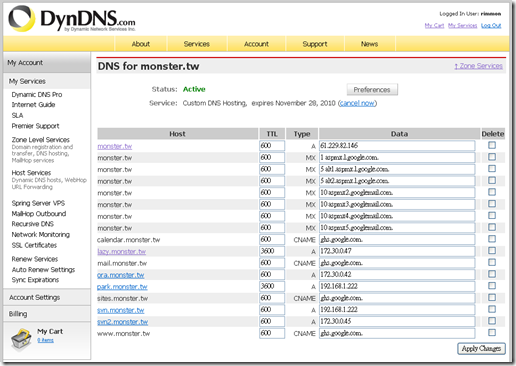
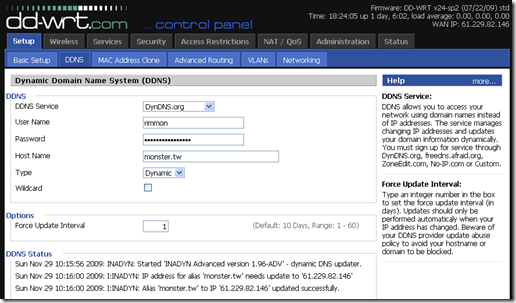
在 router (我的是ddwrt) 設定 DDNS – ADSL 每次換 IP 時 ddwrt 就會通知 dyndns 改 DNS 的 IP address , 其他的 DN 也可以用 CNAME 設成跟這個 host name 一樣.
去 google apps 申請一個
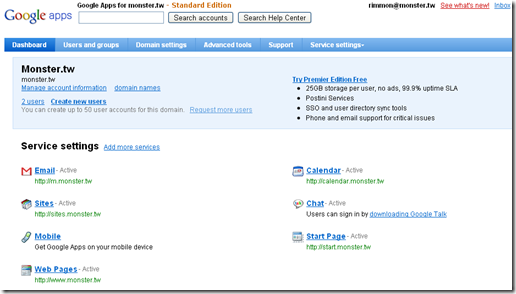
除了 mail 要設 MX record 比較複雜, 其他的只要設 CNAME record 就可以了, 很簡單!
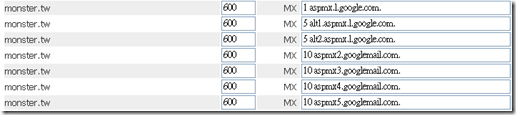
mail.monster.tw 是 web mail 界面的網址 跟 收信的 domain 是不同的

來源 :
http://news.cnet.com/8301-1001_3-10209580-92.html
http://www.datacenterknowledge.com/archives/2009/04/01/googles-custom-web-server-revealed/
不過發表日是 April fool 😛 , 這是玩笑嗎?
誰可以估算一下 Google 一台 server 多少錢呢?
MB : GIGABYTE , GA-9IVDP , 這張主板很小/精簡 , 甚至顯示卡/晶片都沒用, 側面有看到 USB port.
CPU : 2 * ? , CPU 也應該很小, 風扇/散熱片都那麼小
RAM : 8 * 1GB (我猜的, RAM太少不好用)
HD : SATA * 2 ( 目前 300G – 500G , CP值較高, 兩顆可能做 RAID 1 , mirror)
電源 : 可能要 300W 吧, 不過是特殊規格, 放大照片看是 MIC , AC 220伏特 , DC 13.65V , 20.5A
電池 : 不知
特別的是, 他們的 HD 等元件都是用魔鬼氈綁住的.