Archive for March 2009

Slumdog Millionaire 貧民百萬富翁

http://en.wikipedia.org/wiki/Slumdog_Millionaire

SLUMDOG MILLIONAIRE Movie Songs Lyrics
Dreams On Fire Lyrics Hindi Song Title: Dreams On Fire : SLUMDOG MILLIONAIRE
Singer(s): SUZZZANE
Cast(s): DEV PATEL , ANIL KAPOOR , IRFAN KHAN , MADHUR MITTAL , FREIDA PINTO , SAURABH SHUKLA

Hindi Lyrics:

You Are My Waking Dream, You’ re All Thats Real To Me
You Are The Magic In The World I See
You Are In The Prayer I Saying, You Are In My Two My Names
You Are The Faith That Make Me Belive
Dreams On Fire, Higher N Higher
Pasion Burning, Ride On The Path, Once For Forever Yours
In Me, All Your Heart, Dreams On Fire, Higher N Higher

You Are My Ocean Rage, You Are My Thought Each Day
You Are The Laughter From Childhood Games
You Are Things Further Down, You Are Where I Belong
You Are Make Me Feel In Every Songs
Dreams On Fire, Higher N Higher, Pasion Burning
Ride On The Path, Once For Forever Yours, In Me
All Your Heart, Dreams On Fire, Higher N Higher


interview with Dev Patel & Freida Pinto

[youtube]http://www.youtube.com/watch?v=drCPqTjNqlM[/youtube]
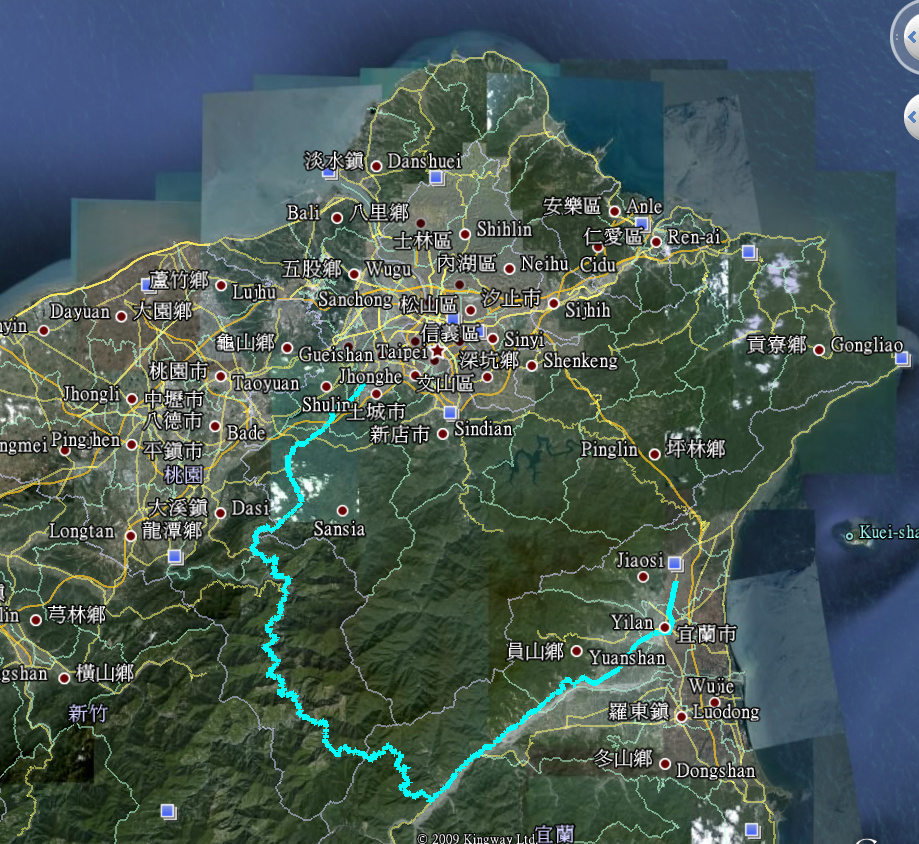
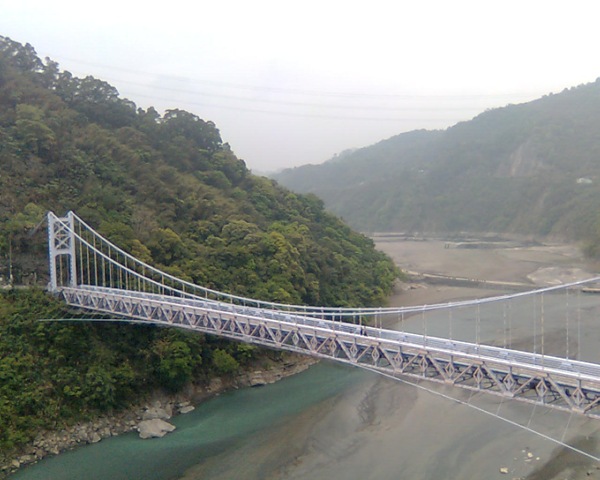
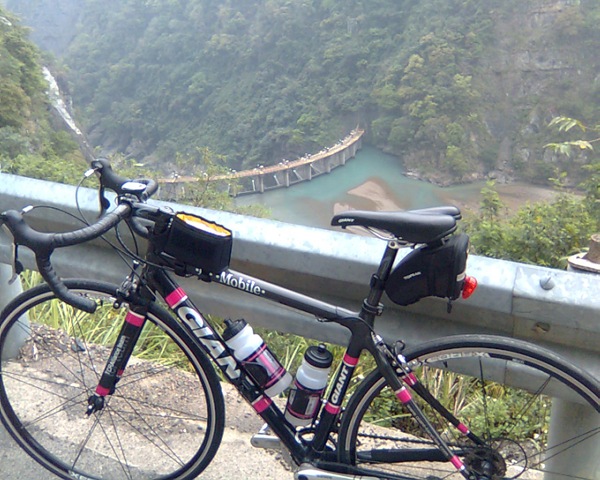
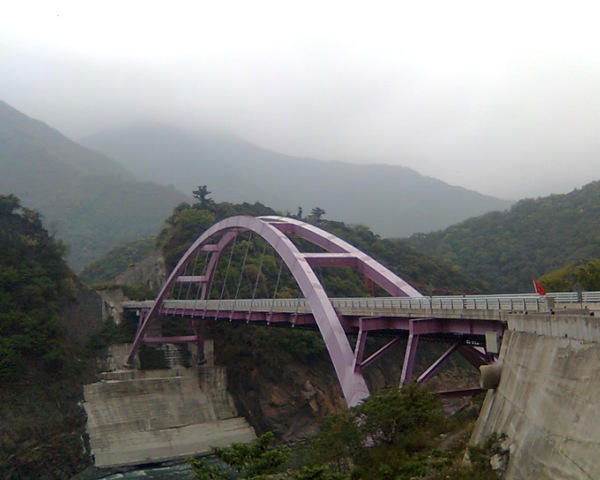
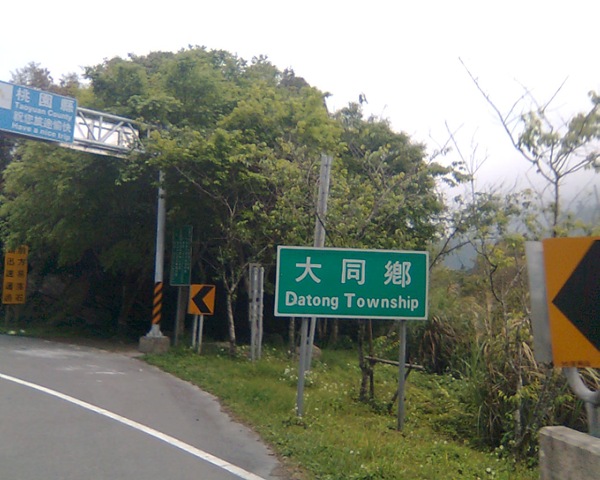
北橫獨騎 , 板橋 –> 三民 –> 羅浮 –> 巴陵 –> 明池 –> 員山 –> 宜蘭

因為聽說週末鋒面要到, 那肯定兩天都是下雨(PS: 週末兩天, 黃同學要一雪去年的恥, 去騎NeverStop 洄瀾極限挑戰300K), 我從家裡出發後就臨時決定騎個北橫來看看. . . . 今天北橫這段獨騎完全是沒有任何準備下的結果, 備胎, 修車工具, 甚至水都沒在巴陵補好, 一路渴得半死, 回來後看了別人的 blog 才知大家都有在台7的77公里 “Lucky 777” 照張相 , 看來下次有機會再來補這張了.

這是今天的軌跡圖 :
df204d554da0686f5e53e0358f5ab415

P002P003P008 P017 P018 P025 P035P040P044

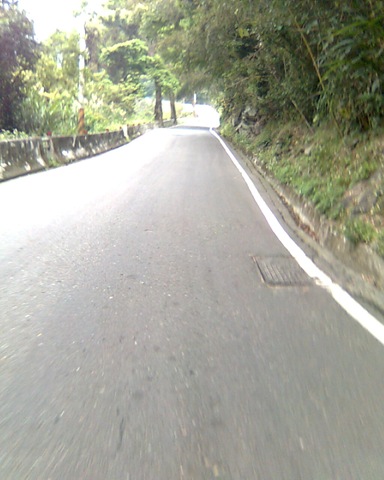
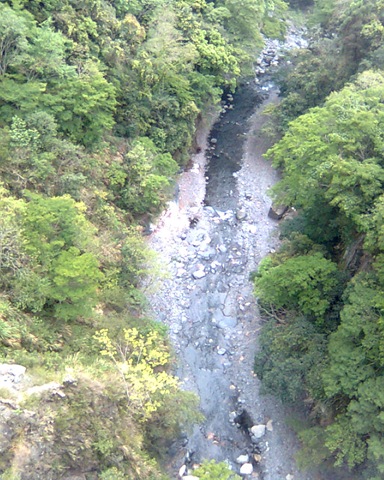
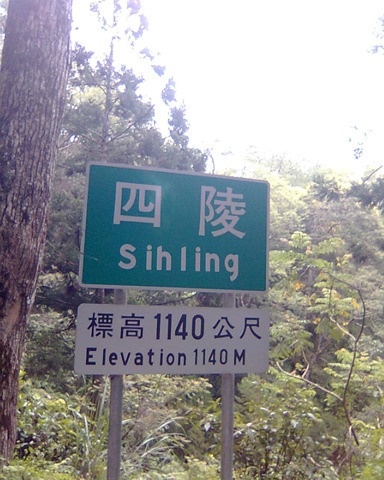
巴陵 ( 80 ) 到 四陵 ( 40 ) 之間的路是整段北橫中最有挑戰的一段, 連地名也都很好笑

P049 P050 P051 P054

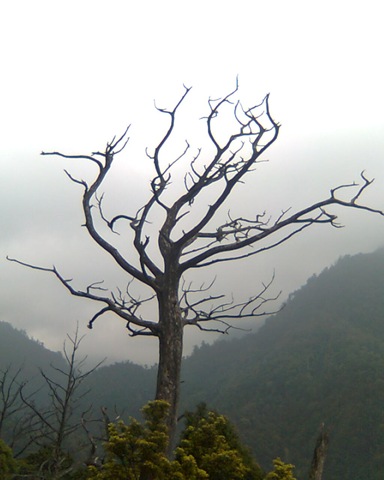
明池之後累翻了就都沒照了

網站贊助廣告版位出租 – Pagerank 5 / 10 , SEO

廣告特色 : 本站 www.monster.com.tw 目前在 Google pagerank 是 5/10, 本位置廣告可以增加您的網站 SEO.

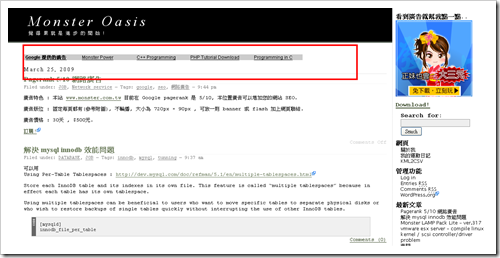
廣告版位 : 固定每頁都有(參考附圖), 不輪播, 大小為 720px × 90px , 可放一則 banner 或 flash 加上網頁聯結.

廣告價格 : 請看我的賣場!

請參考本站在 Google 排名 2009.0331

關鍵字 oracle :
繁體中文網頁 – 排名第 12
台灣的網頁 – 排名第 7

關鍵字 vmware :
繁體中文網頁 – 排名第 7
台灣的網頁 – 排名第 5

關鍵字 javascript  :
繁體中文網頁 – 排名第 33
台灣的網頁 – 排名第 20

關鍵字 codeigniter  :
繁體中文網頁 – 排名第 3
台灣的網頁 – 排名第 3

15d0ecaf788b8cd0b7d97e87fa7d19c1

解決 mysql innodb 效能問題方法之一

可以用
Using Per-Table Tablespaces : http://dev.mysql.com/doc/refman/5.1/en/multiple-tablespaces.html

Store each InnoDB table and its indexes in its own file. This feature is called “multiple tablespaces” because in effect each table has its own tablespace.

Using multiple tablespaces can be beneficial to users who want to move specific tables to separate physical disks or who wish to restore backups of single tables quickly without interrupting the use of other InnoDB tables.

[mysqld]
innodb_file_per_table

那在把不同的 innodb file 放到不同 disk partition 去, 達到分散實體 IO 的目標, 不過, mysql 對於 path 部份要特別處理, 避免 drop table 或 alter table 時, 它會發生無法預期的結果, 翻了 web , 看到有人這麼作:

改 mysys/mf_format.c

if (!lstat(to,&stat_buff))  /* Check if it's a symbolic link */
    if (S_ISLNK(stat_buff.st_mode) && realpath(to,buff))
成

if (realpath(to,buff))

試看看吧, 我沒改過!

Monster LAMP Pack Lite – ver.317

Basic install emerge
lilo dhcpcd openssh syslog-ng vixie-cron screen ntp cronolog net-mail/mpack app-arch/sharutils unzip bind-tools trafshow traceroute

Linux  : 2.6.24-gentoo-r7
Apache : 2.2.10
Mysql  : 5.0.70-r1
PHP    : 5.2.8-pl2

PHP 的編法是

USE="apache2 berkdb bzip2 calendar cjk cli crypt curl gd gdbm hash iconv json mysql mysqli ncurses nls oci8-instant-client pcre readline reflection session simplexml spell spl ssl truetype unicode xml zlib" emerge -av php

package 有

samba :
postfix :
oracle instant client :
open-vm-tools : vmware 的 tools

emerge 這些 package:

重要軟體:
mysql php apache postfix

中等重要:
screen ntp samba

工具類軟體:
subversion vim open-vm-tools cronolog net-mail/mpack app-arch/sharutils unzip

記得

  • /etc/udev/rules.d/70-persistent-net.rule 砍掉
  • 改 net_DHCP
  • 砍 /tmp/*
  • check /etc/conf.d/clock , /etc/hosts , /etc/resolv.conf

vmware esx server – compile linux kernel / scsi controller/driver problem

直接在 vmware esx server 上重裝一台 gentoo linux 的 steps

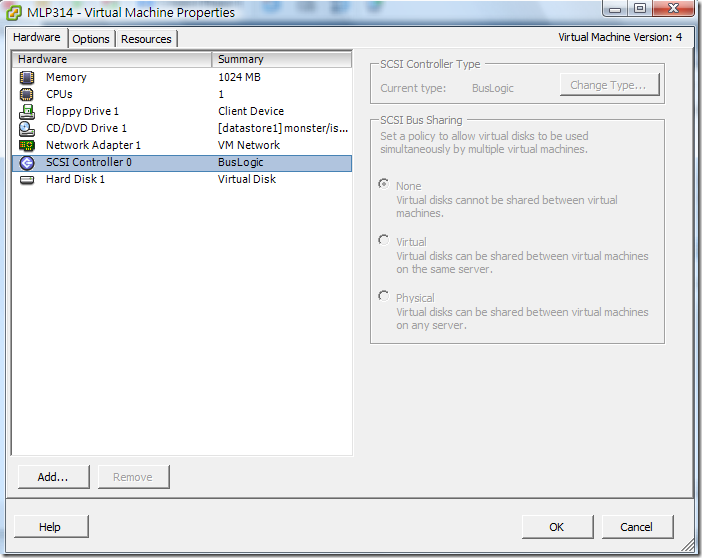
在這個地方要勾 BusLogic , 在 make menuconfig 要選 BusLogic (簡直是廢話…)

9501eebd2a93f31b580498868083c8ba

開機後 dmesg | grep scsi 的結果是

scsi: ***** BusLogic SCSI Driver Version 2.1.16 of 18 July 2002 *****
scsi: Copyright 1995-1998 by Leonard N. Zubkoff <lnz@dandelion.com>
scsi0: Configuring BusLogic Model BT-958 PCI Wide Ultra SCSI Host Adapter
scsi0:   Firmware Version: 5.07B, I/O Address: 0×1060, IRQ Channel: 17/Level
scsi0:   PCI Bus: 0, Device: 16, Address: 0xF4800000, Host Adapter SCSI ID: 7
scsi0:   Parity Checking: Enabled, Extended Translation: Enabled
scsi0:   Synchronous Negotiation: Ultra, Wide Negotiation: Enabled
scsi0:   Disconnect/Reconnect: Enabled, Tagged Queuing: Enabled
scsi0:   Scatter/Gather Limit: 128 of 128 segments, Mailboxes: 211
scsi0:   Driver Queue Depth: 211, Host Adapter Queue Depth: 192
scsi0:   Tagged Queue Depth: Automatic, Untagged Queue Depth: 3
scsi0: *** BusLogic BT-958 Initialized Successfully ***
scsi0 : BusLogic BT-958
scsi 0:0:0:0: Direct-Access     VMware   Virtual disk     1.0  PQ: 0 ANSI: 2
sd 0:0:0:0: Attached scsi generic sg0 type 0

葉問

2922

佛山誰最能打?當然是葉問啊!難不成是我阿?

你在不出手ˇ家裡東西都被打破ㄌˇ

武癡林 你吐血了 別打了

我賠!

我要打10個!!!!!

要吃飯!?你看你同胞被打死!!你有沒有尊嚴阿!!

金山找:今天南方拳輸給北方拳了。
葉問:不是南北拳的問題,是你的問題!

Continue reading ‘葉問’ »

完成國道馬拉松21K

天氣不錯, 陰天, 18度, 21K成績:1小時50分
今天被很多認識的朋友說 “ㄟ..怎跑半程? 越跑越回去囉?”
走下交流道, 轉身看看還在跑全程的人, 想到如果這次不是報半程, 現在應該還是在上面繼續跑著.

安裝 apache / mod_memcache

準備好這幾個 tarball, 並且解開:

drwxr-xr-x  6 rimmon rimmon  576 Mar 14 17:36 mod_memcached_cache-0.1.0
drwxr-xr-x  7 rimmon rimmon  584 Mar 14 17:09 apr_memcache-0.7.0
drwxr-xr-x 12 rimmon rimmon 1416 Mar 14 16:55 httpd-2.2.11

Hypertext Transfer Protocol — HTTP/1.1 – 這可是現今最偉大的 protocol 呀!

The Hypertext Transfer Protocol (HTTP) is an application-level
protocol for distributed, collaborative, hypermedia information
systems. It is a generic, stateless, protocol which can be used for
many tasks beyond its use for hypertext, such as name servers and
distributed object management systems, through extension of its
request methods, error codes and headers
http://tools.ietf.org/html/rfc2616

Status Code Definitions
http://tools.ietf.org/html/rfc2616#section-10

204 No Content

The server has fulfilled the request but does not need to return an
entity-body, and might want to return updated metainformation. The
response MAY include new or updated metainformation in the form of
entity-headers, which if present SHOULD be associated with the
requested variant.

If the client is a user agent, it SHOULD NOT change its document view
from that which caused the request to be sent. This response is
primarily intended to allow input for actions to take place without
causing a change to the user agent’s active document view, although
any new or updated metainformation SHOULD be applied to the document
currently in the user agent’s active view.

The 204 response MUST NOT include a message-body, and thus is always
terminated by the first empty line after the header fields.

可以利用這點作一些事, 譬如記錄 user 的訪問, log 等等

apache 有用的 mod

*  www-apache/mod_chroot
      Latest version available: 0.5
      Latest version installed: [ Not Installed ]
      Size of files: 14 kB
      Homepage:      http://core.segfault.pl/~hobbit/mod_chroot/
      Description:   mod_chroot allows you to run Apache in a chroot jail with no additional files.
      License:       GPL-2

*  www-apache/mod_extract_forwarded
      Latest version available: 2.0.2
      Latest version installed: [ Not Installed ]
      Size of files: 13 kB
      Homepage:      http://www.openinfo.co.uk/apache/index.html
      Description:   Apache module that rewrites X-Forwarded-For to REMOTE_ADDR for reverse proxy configurations.
      License:       Apache-2.0 Apache-1.1

*  www-apache/mod_log_rotate
      Latest version available: 1.00
      Latest version installed: [ Not Installed ]
      Size of files: 4 kB
      Homepage:      http://www.hexten.net/wiki/index.php/Mod-log-rotate
      Description:   mod_log_rotate adds log rotation support to mod_log_config based on strftime(3)
      License:       Apache-2.0

PHP Coding Standards

參考: Mantis : http://www.mantisbt.org/guidelines.php

中文翻譯: http://www.ichiayi.com/wikipage/tech/mantis_coding

First, start off by reading the PHP Coding Standards document. I’ve deviated in a few places but just about everything in the document applies here as well.

Above all, write code that is easy to read and maintain. Comment blocks of code and functions at all times. And get on my case if I deviate too much as well!

Naming Variables
  • Use all lower case.
  • Use _ to separate words, e.g. $green_color_value
  • Use descriptive names (except loop variables).
  • Loop variables can be of the usual variety: $i, $j, $k, etc.
  • Count variables should follow the format $*_count, e.g. $bug_count
  • Global variables should be prefixed with g_
  • Temporary variables should be prefixed with t_
  • Parameters and variables passed from forms that have been cleaned of any special SQL chars (i.e. slashes) should be prefixed with c_
  • Uncleaned function parameters should be prefixed with p_
  • Uncleaned variables passed from forms should be prefixed with f_
  • Other variables are prefixed with v_, v2_, etc.
  • Never prefix with l_ or o_ or q_ (visually confusing)
  • $query and $result should be used for SQL query and results respectively
Naming Functions
  • Use all lower case.
  • Use _ to separate words, e.g. setup_page_breaks()
  • Keep functions to 5 words or less
  • Functions that print should be prefixed with print_.
  • Try to use prefixes to group functions (i.e., email_, news_, etc.)
Naming Classes
  • Use FirstLetterOfWordIsCaptilized style
  • Variables that are class objects should have the prefix coo_
Naming Files
  • Use all lower case.
  • Use _ to separate words, e.g. view_new_bugs_page.php
  • Use .php file extensions
  • Filenames must be less than 32 characters in length. This plays nice with older file systems like Mac OS.
  • Included files should be suffixed by _inc.php
SQL formatting
  • UPPERCASE all SQL keywords:
    $query = "SELECT *
    	FROM $g_mantis_bug_table
    	WHERE id='1'";
  • Always assign a query string to a variable. This makes code easier to debug when problems occur. Do not create the query in the call to the function.
  • Break up SQL queries over multiple lines to be easy to read.
General Formatting
  • Use TABS with a size of 4
  • Follow the table formatting of existing pages
  • Use <?php ?> for php delimiters.
  • Try not to print/echo HTML unless it’s short or in a function loop
  • Do not use the EOF construct
Miscellaneous
  • Don’t use the ?: construct except in very rare cases. It is confusing and has a lot of bug potential.
  • Avoid magic numbers. The only magic numbers in use should be 1 and 0 and their meaning should be obvious.
Page Guidelines
  • The first item should be the copyright notice
  • At the bottom will be the footer information and closing print_ functions.
Braces and Parantheses
  • Parantheses should be right after a function name, e.g. function() not function ()
  • Parantheses should have a space right after a keyword (if, while, for), e.g. for (…)
  • Formatting of braces is illustrating below. We use unmatched placing.
  • Arrays should be referenced with no spaces, e.g. $arr['index'] not $arr[ 'index' ]
    for (...) {
        blah
    }
    
    or
    
    if (...) {
        blah
    }
  • if … else blocks should be in this format:
    if (...) {
        blah1
    } else {
        blah2
    }
Comparisons
  • The NOT operator should be placed next to its operand. No spaces, e.g. !$value
  • Parentheses should be used for grouping, especially with multiple comparisons, e.g. if ( ( null == $val ) && ( null == $val2 ) )
Strings
  • Use spaces around the string concatenation operator, e.g. ‘str ‘ . $value . ‘ str2′;
  • Use ‘ instead of " if there are no variables or special characters.
Comments
  • Use the # symbol for line commenting, not //
  • Use /* */ for block commenting unless you nest /* */ comments. Generally, only use this during development.
  • Use @@@ followed by a brief message (BROKEN, TEMPORARY, etc) as a "look at this" indicator. Leaving your name next to is a good idea. This way critical items can easily be found.
Editor Features
  • Search and replace in multiple files
  • Goto line number
  • Syntax highlighting
  • Adjustable TAB spacing

Protected: css 命名方式參考 / CSS Naming Standards

This post is password protected. To view it please enter your password below:


2009 蘭陽海上長泳 – 迎向龜山

2009 蘭陽海上長泳 – 迎向龜山團報
日期 : 98年5月31日[星期日]
地點 : 頭城鎮烏石港北堤 延著岸邊往北游 1500公尺 折返
總共游泳距離約3000公尺
報名到4/20止(5人以上組隊報名)

下圖是 2008年游的路徑(淡藍色) , 白線是 3000M 龜山島的直線距離(如果要游到龜山島的話要游約9-11公里).

affe2987da981aa7a3d898f9b03a21e2

get my ip address useing c / sample code

C CODE

902c2c377de669ec360e37664cc1f041

/*
  FILENAME : my_local_ip.c
*/
#include
#include
#include
#include
#include
#include
#include
#include 

int main(int argc, char **argv) {
  int s;
  struct sockaddr_in sin;
  int slen;
  int port;

  if( argc<3 ) {
    printf("Usage: %s  \n", argv[0]);
    printf("\n\tsample %s 203.66.88.89 80\n",argv[0]);
    return -1;
  }

  port = atoi(argv[2]);

  s = socket(PF_INET, SOCK_STREAM, 0);
  memset(&sin, 0, sizeof(sin));
  sin.sin_family = PF_INET;
  sin.sin_port = htons(port);
  sin.sin_addr.s_addr = inet_addr(argv[1]);
  if(connect(s, (struct sockaddr *)&sin, sizeof(sin)) < 0) {
    printf("127.0.0.1");
    return -1;
  }

  memset(&sin, 0, sizeof(sin));
  slen = sizeof(sin);
  if(getsockname(s, (struct sockaddr *)&sin, &slen) < 0) {
    printf("127.0.0.1");
    close(s);
    return -1;
  }

  printf("%s", inet_ntoa(sin.sin_addr));

  close(s);
  return 0;
}

可以依自己的需求來改這SHELL:

#!/bin/sh
ADDR=`my_local_ip 168.95.1.1 53`
FILENAME=${ADDR=}".txt"

echo $FILENAME

用 pecl inclued 產生關聯圖

這是一隻用 codeigniter 寫的一個簡單的程式 , 然後用 pecl inclued 把它的 include/require 關聯圖畫出來

22222

參考 URL : http://baniclin.blogspot.com/2008/09/pecl-inclued.html

VMware datacenter / ESXi

這個頁面提到VMware 的 virtualization 感覺非常的完整, 真的超級夢幻的 IT datacenter solution 都有了 … 希望有機會可以來試看看

http://www.vmware.com/technology/virtualization-resources.html

ESXi

dfac03d1421ea0234243e640bc6e9a31
2a1711015c54dd6e1ff74c4752b1e437

d520723825b33813b76b5144aa9aff6e

oci / compile php with oracle instant client

小筆記一下…

oracle 那邊 download 這幾個 file

-rw-rw-r– 1 root portage 44414338 Feb 24 13:41 instantclient-basic-linux32-11.1.0.7.zip
-rw-rw-r– 1 root portage   607196 Feb 24 13:41 instantclient-sdk-linux32-11.1.0.7.zip

放到 /usr/portage/distfiles 這底下

然後 PHP 是這麼編的

USE="apache2 berkdb bzip2 calendar cjk cli crypt curl gd gdbm hash iconv json mysql mysqli ncurses nls oci8-instant-client pcre readline reflection session simplexml spell spl ssl truetype unicode xml zlib" emerge -av php

Protected: some rewrite rules / apache

This post is password protected. To view it please enter your password below:


Microsoft Internet Explorer 8 / IE8 新功能 accelerator implement


參考這頁: http://msdn.microsoft.com/en-us/library/cc304163(VS.85).aspx

可以作出這樣的效果 , 這東西 microsoft 管它叫作 Internet Explorer 8 的 “新” 功能 – Accelerators

cbbf837d7ab99e765e0f1b3a5374674a

XML file:

.....
....
重點是 .... preview action="xxxxx" accept-charset="big5"
....

好了, 接下來是碎碎唸時間 …. 心得是 微軟老愛搞這種小玩意兒… 要用到此功能, 首先 user 必須要在網頁選取一段他感興趣的字, 然候再點旁邊出現的藍框 , 仔細找會有一個 所有的加速器 , 再移過去 會看到自己寫的 加速器 , 然後在加速器上要等一下下 , 才會出現 商品 preview , 然後整個過程手還不能發抖讓 mouse 游標跑掉 . . . 這功能有人要用才有鬼咧.

而且這東西要叫 “加速器” 才好笑, 用的過程囉唆的要命, 還要叫加速器??